

- To price your product (e.g., price per user or per API call)
- To limit usage (e.g., free up to 5GB of storage)
- To orchestrate pricing-related workflows (e.g., when a customer reaches X, show a paywall).
Ingestion basics
Event payloads always follow the same structure, and you can send them to the POST/events endpoint. The record object can contain any additional properties of type string, number, boolean, or null. Hyperline rejects arrays and objects: to keep a list of values, send it as a JSON-encoded string (for example "[\"a\",\"b\"]").
Hyperline processes events instantly. You can go to your events page and refresh it to see them.
The events ingestion API is rate-limited to 1,000 requests per 10 seconds. When sending events in batch, each request can contain up to 5,000 events, and your account can send up to 50,000 events per 10 seconds (300,000 per minute). See rate limiting for more details.
Here’s an example payload:
Event
Security and privacy
Even though Hyperline makes some basic security checks, it can’t automatically filter every piece of personal or confidential data from its systems. Most of the time you don’t need personal information in Hyperline so remove or obfuscate (for instance, John becomes J***):- People names
- People’s personal email addresses
- Phone numbers
- Payment information like card numbers or IBANs
- Physical addresses
- Anything that could help identify someone or their location
Events or entities?
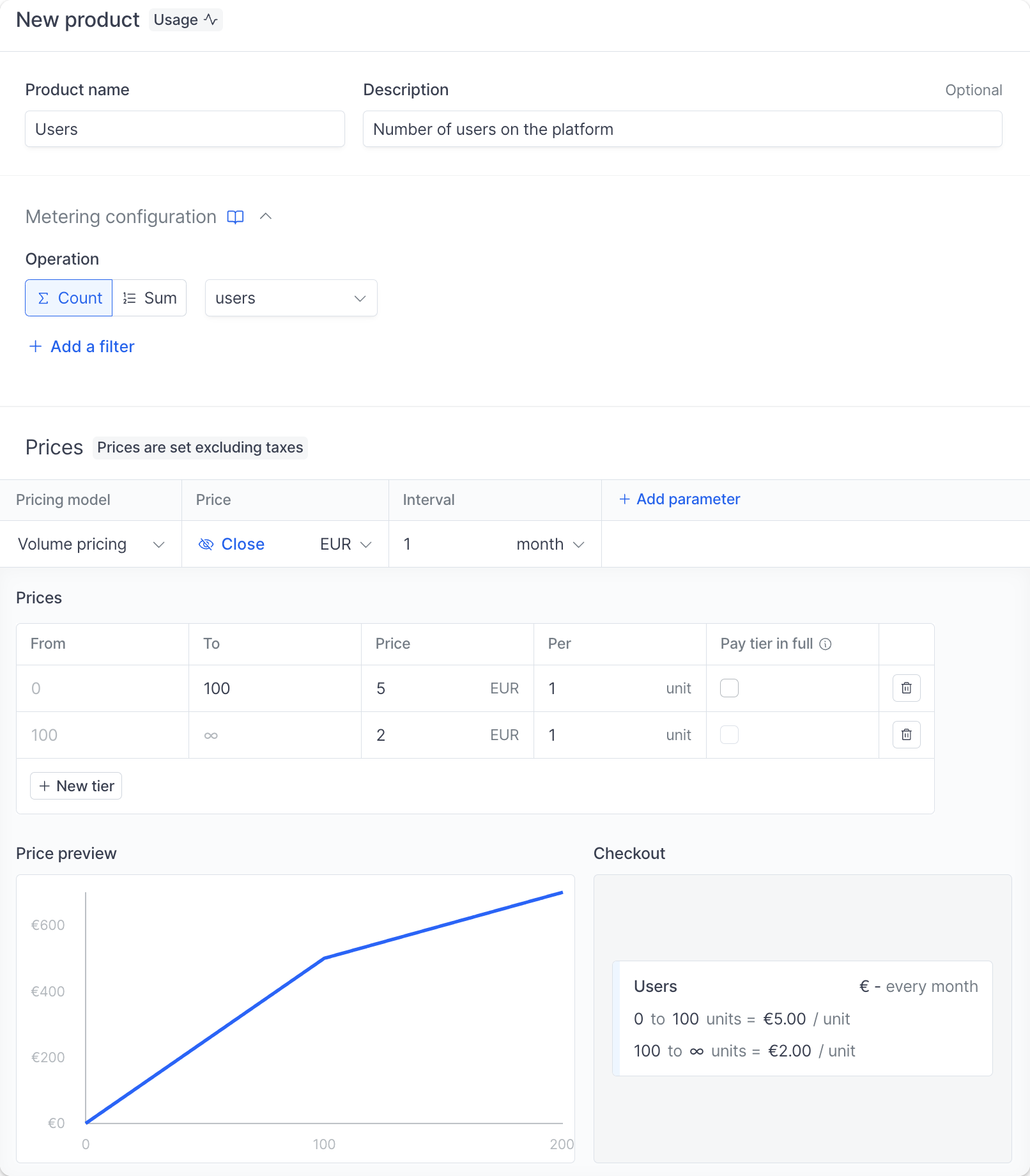
Hyperline is designed to rely fully on events for data ingestion. Hyperline can then apply a variety of operators to configure how you want to aggregate data (count, sum), and filters (equals, “is null” check, greater/lower than comparators, etc.).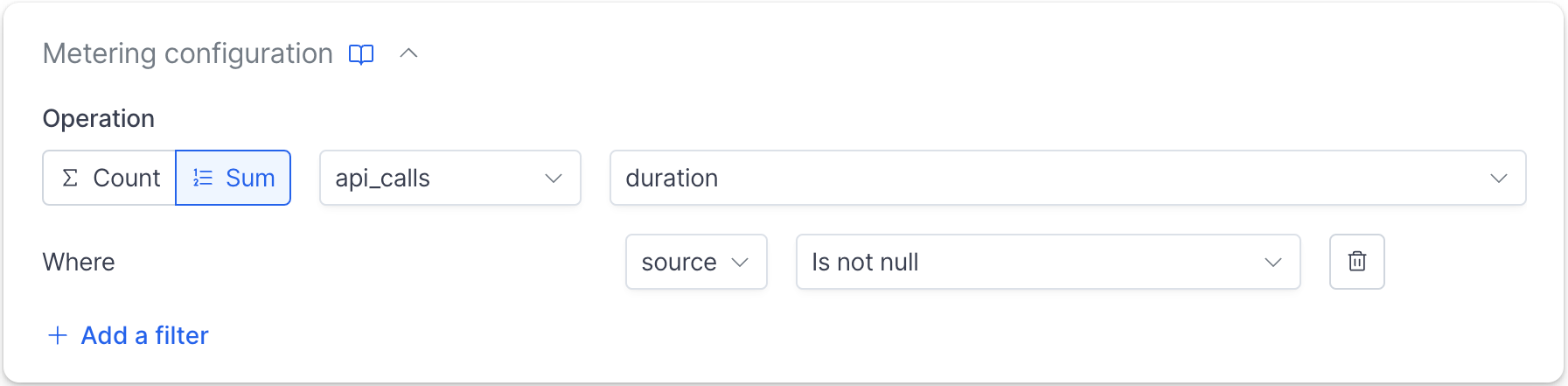
Event
How Hyperline matches an event to a customer
customer_id accepts either a Hyperline customer ID (cus_...) or your own external ID. Hyperline resolves it in this order:
- A customer whose Hyperline ID equals
customer_id. - Otherwise, a customer whose external ID equals
customer_id.
- An
activecustomer before anarchivedone. - A customer with a subscription that can be invoiced (
active,trialing,pending,pausedorerrored) before one without. - The oldest customer.
- If two customers were created at the same moment, the one with the lowest Hyperline ID.
Correct and delete events
Now you may be thinking, what happens if you send an event with the wrong quantity, or one that shouldn’t be billed? Hyperline treats usage events as immutable records. Its API is append-only: it doesn’t allow update or delete operations outside the Hyperline interface. You can still correct usage using the methods below.Correcting an event
Send every usage report as a new event with its own uniquerecord.id. Don’t resend the same event to change a quantity, for example by overwriting one event per month with the latest total.
To correct a quantity you already sent, send a new adjustment event with its own unique record.id. It carries the difference between the correct quantity and the quantity you sent, which can be negative. Use a timestamp inside the same billing period as the usage you correct.
Using the transaction example again, say you sent an event with an amount of 2500 but the correct amount was 2000. Send this adjustment event:
amount, the two events add up to 2000. A total for the period only goes below zero when the aggregator has Allow negative values enabled. Otherwise, Hyperline uses 0. See aggregators.
Hyperline identifies each event by the combination of its
event_type and record.id. If you send an event with the same event_type and record.id as a stored event, Hyperline replaces the stored event instead of adding a new one. Retrying a request therefore doesn’t count usage twice, but reusing a record.id for a new report erases the previous one.The customer_id and event_type fields of a stored event are immutable. If you need to change the customer associated with an event, delete the original event and create a new one.Deleting an event
If you sent an event by mistake, you can delete it in the Events tab on the app. But this is not the way to manage standard deletions, for instance when a user is removed from an account. There are many ways to manage this. The first one is to use thedeleted_at key you added earlier and set it to something different than null. Then update the usage product you created earlier to filter out records where deleted_at is not null like so.
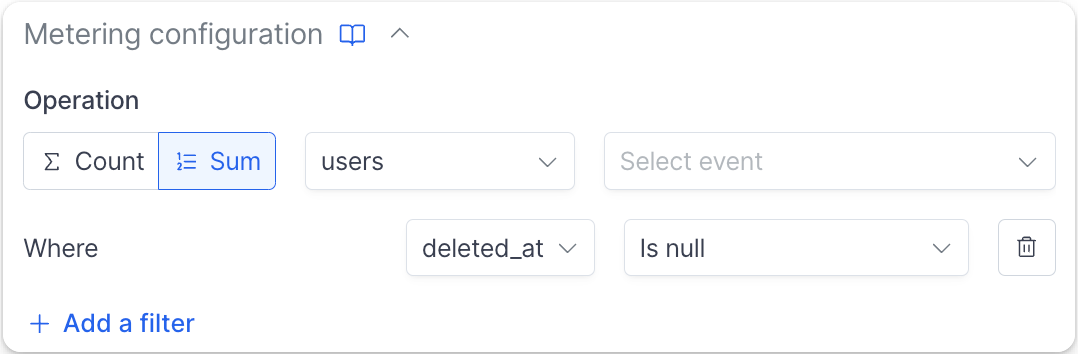
active boolean field in the user entity that you can toggle to off. The principle stays the same: set a property to the right value and filter out the elements you don’t want.
Retrieve events via API
You can retrieve billable events programmatically using the GET/v1/events endpoint. This allows you to:
- Query events by event type
- Filter by customer, record IDs, or timestamp range
- Sort results in ascending or descending order
- Paginate through large result sets
Example request
Limitations
To process massive numbers of events, Hyperline had to adopt a rigid structure for events. While quite permissive, there are 2 main limitations:- Record properties can’t be nested (only one level of properties is allowed)
- Records can’t have more than 25 properties