

Assigning an aggregator directly to a customer without a product or subscription is a Customer Intelligence feature. It provides usage monitoring and threshold alerts, but does not bill the customer.
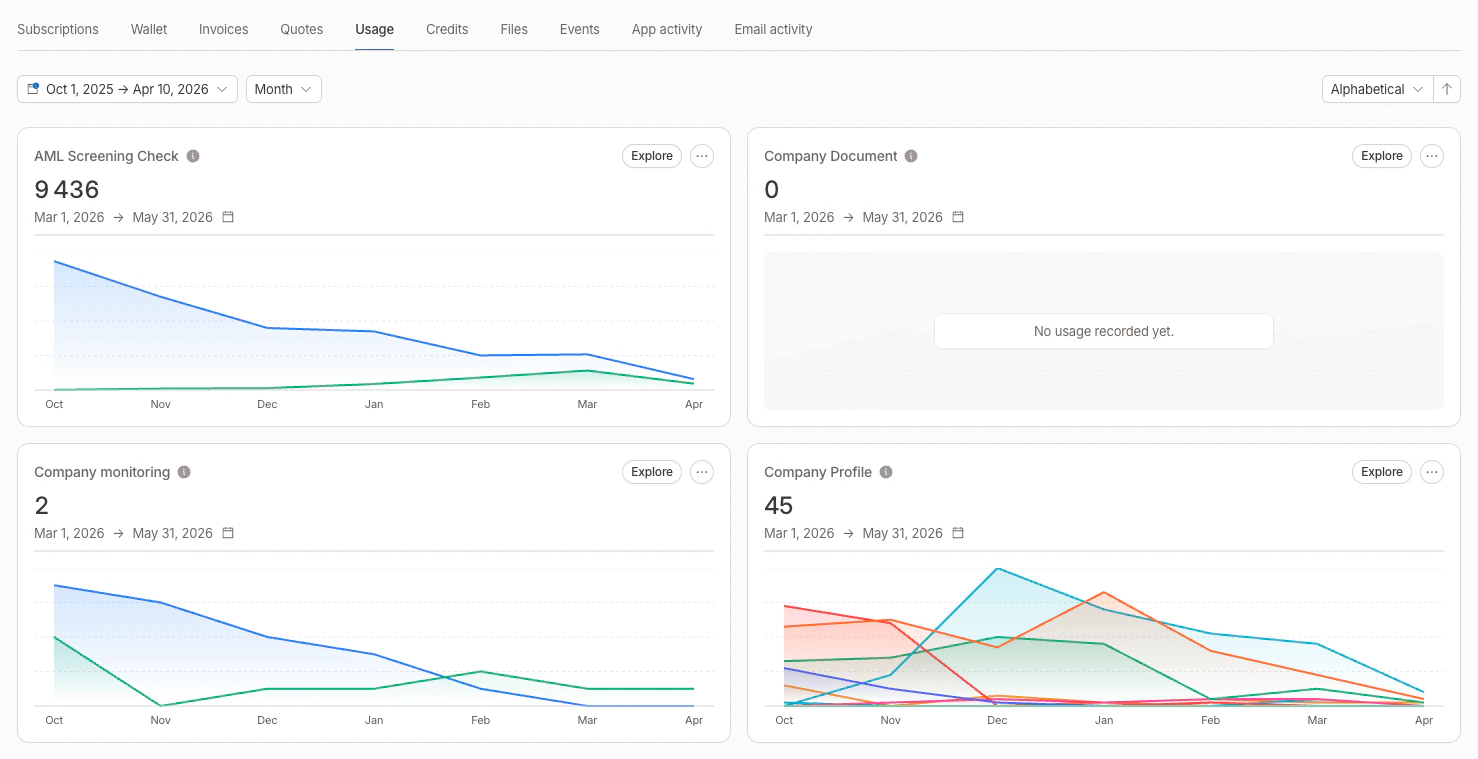
Customer Usage tab overview
Aggregator cards
Each aggregator appears as a card showing:- Aggregator name and linked subscription (if any)
- Current aggregated value for the active metering period
- Area chart of the aggregated value evolution over time (last 6 months by default)
- Threshold lines displayed as dashed horizontal references on the chart, with the operator and value as labels (see thresholds)
Filters on charts
When an aggregator has aggregator filters defined, the chart displays one line per filter with a distinct color. A legend below the chart identifies each filter by name.Card display logic
The Usage tab handles different scenarios to avoid duplicated cards:Period range and grouping
Use the date range picker at the top of the Usage tab to select a custom period. You can also select how data is grouped:
Each aggregator card updates to show the aggregated value for the selected period, and charts are filtered accordingly.
Numbers in cards and tooltips use a compact format (e.g.
1.2K instead of 1,200).
Sorting
You can sort aggregator cards by:- Name (ascending or descending)
- Current value (ascending or descending)
Explore consumption
Click Explore on any aggregator card to open a side panel with the underlying events. The selected date range and grouping are forwarded to the panel. The exploration panel provides:- Event list filtered on the aggregator’s event key, with timestamps and values
- Search to find specific events
- Date range filter to narrow the time window
- Filter selector to view events matching a specific aggregator filter
- Pagination for browsing through large event sets
Related
- Global usage: same charts aggregated across all customers, with a per-customer ranking drill-down
- Aggregators: define how raw events become a usage metric
- Custom usage tracking: assign aggregators to customers without a subscription