

Customer intelligence is available from customer records to monitor health, usage trends, ownership, followers, and payment behavior. See Customer intelligence.
Create a customer
Manual creation
1
Go to the Customers section
Click New Customer.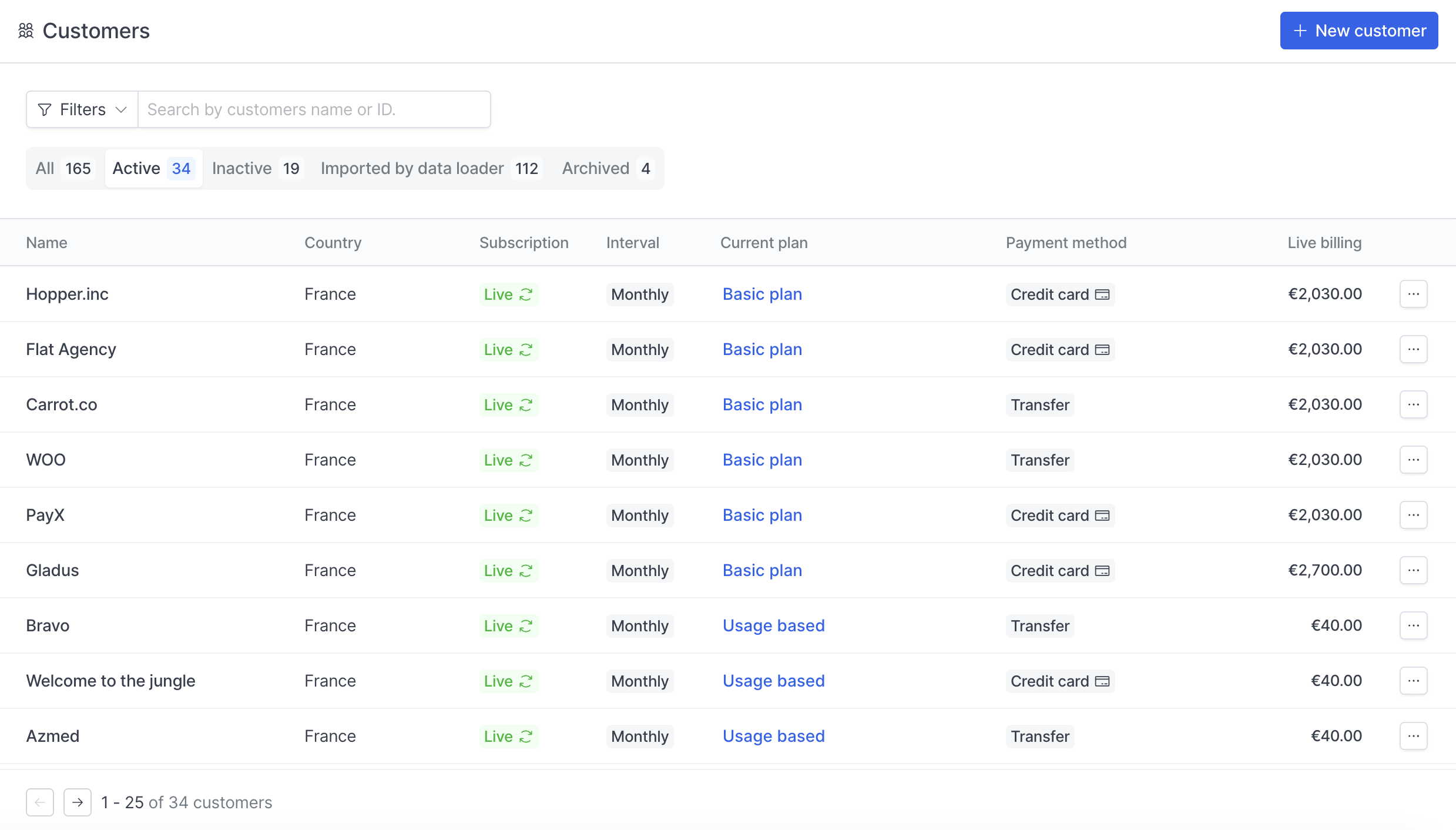
2
Fill in the general information and billing details
Enter the customer details, then click Save customer.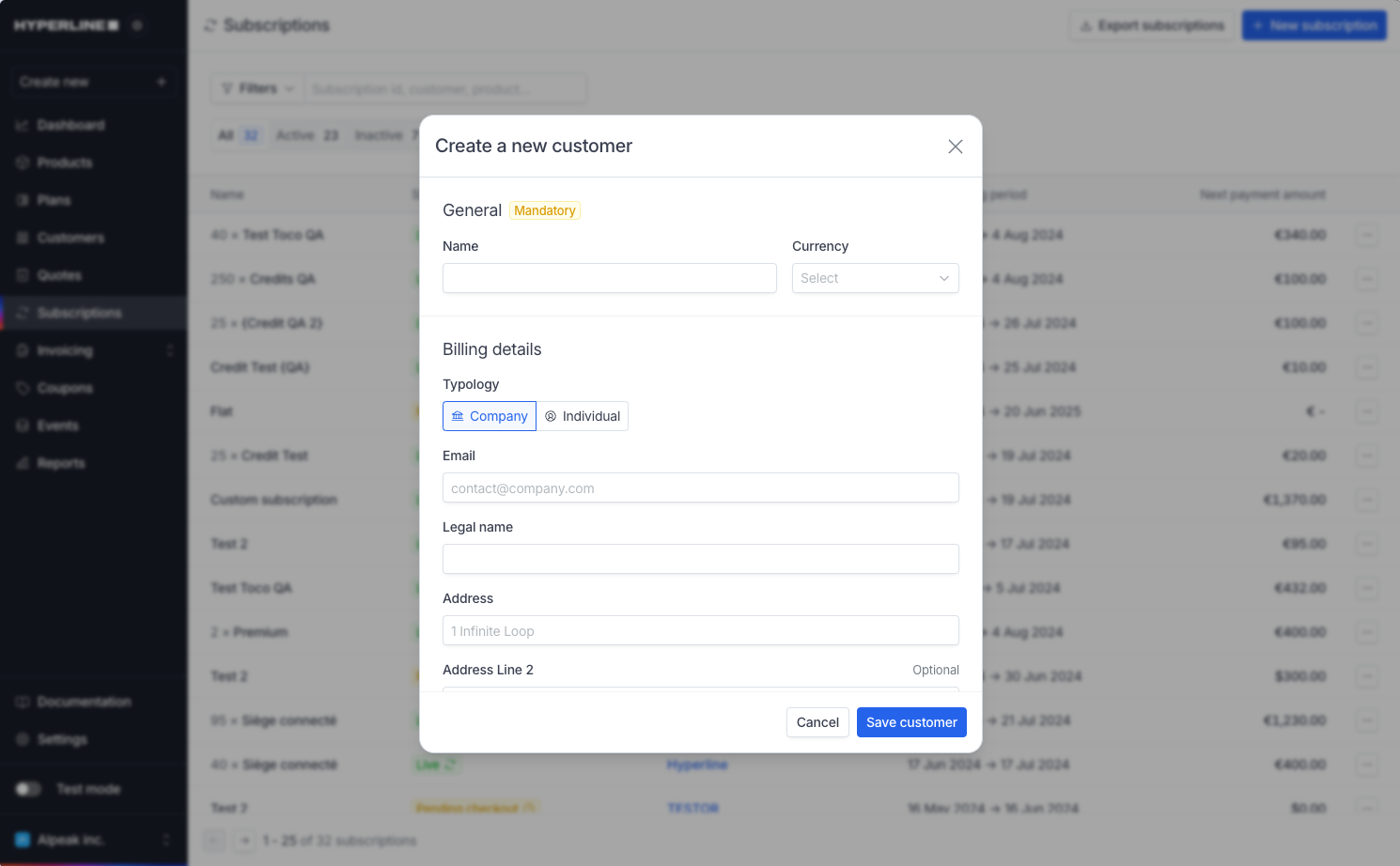
3
Your new customer is created
The customer appears immediately in your customer list (under the 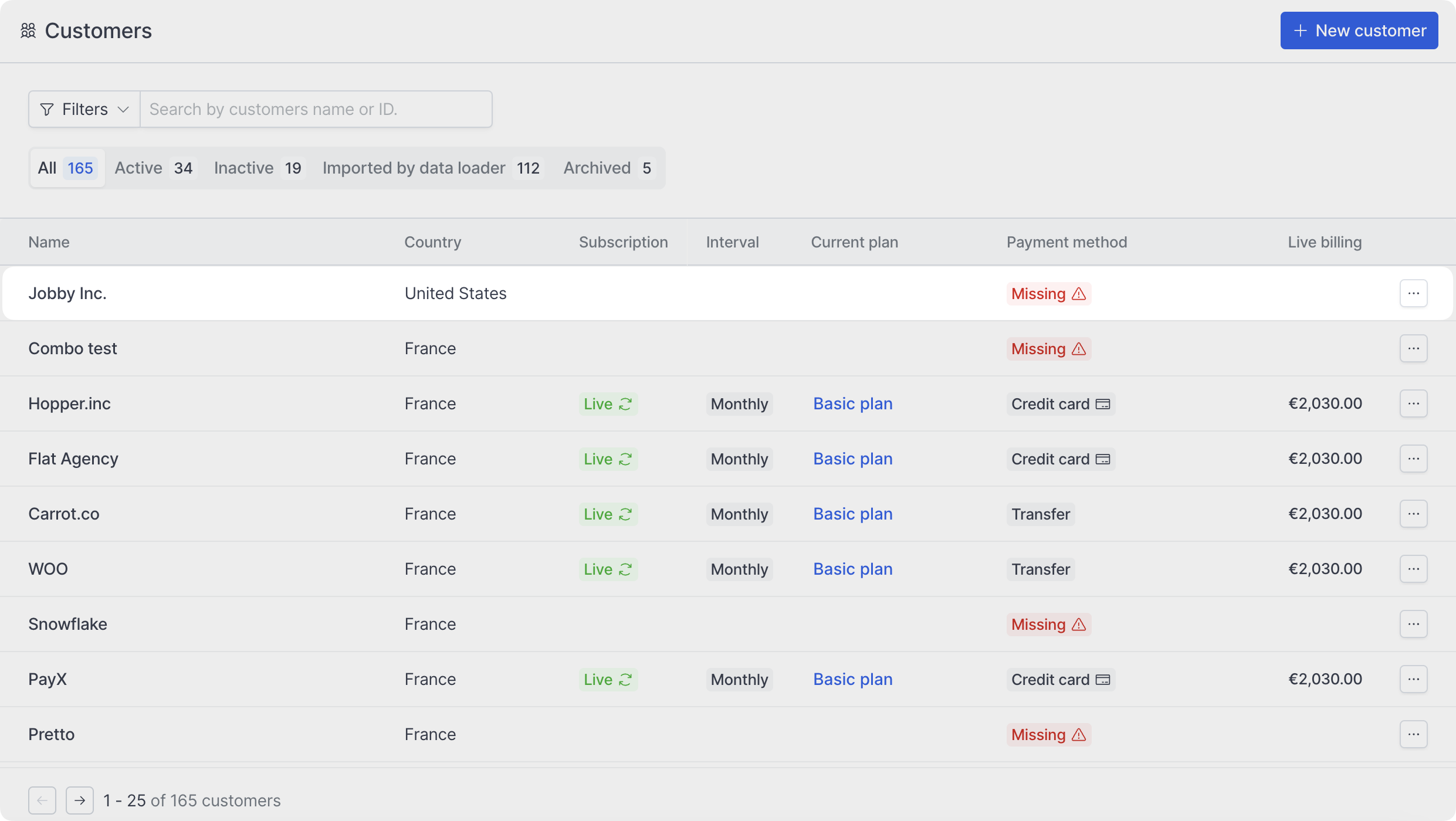
All filter).Automatic creation
You can create customers programmatically using the API. Additionally, when a CRM is connected and configured to automatically sync customers to Hyperline, Hyperline creates customers automatically.Default language, country, and currency
When you create a customer, Hyperline determines the language through a cascade. If you provide a language explicitly, Hyperline uses that value. Otherwise, if you provide a country, Hyperline infers the language from that country. If you provide neither, the language defaults to the invoicing entity’s language. The country follows a simpler fallback: Hyperline uses the provided country if available; otherwise, it defaults to the invoicing entity’s country. The currency also follows a fallback cascade. If you provide a currency explicitly, Hyperline uses that currency. Otherwise, if you provide a customer country, Hyperline infers the currency from that country. If you provide neither, the currency defaults to the invoicing entity’s currency. This ensures that every customer has valid language, country, and currency settings, even when not explicitly specified.Edit a customer
You can update customer information at any time by clicking Edit in the actions dropdown.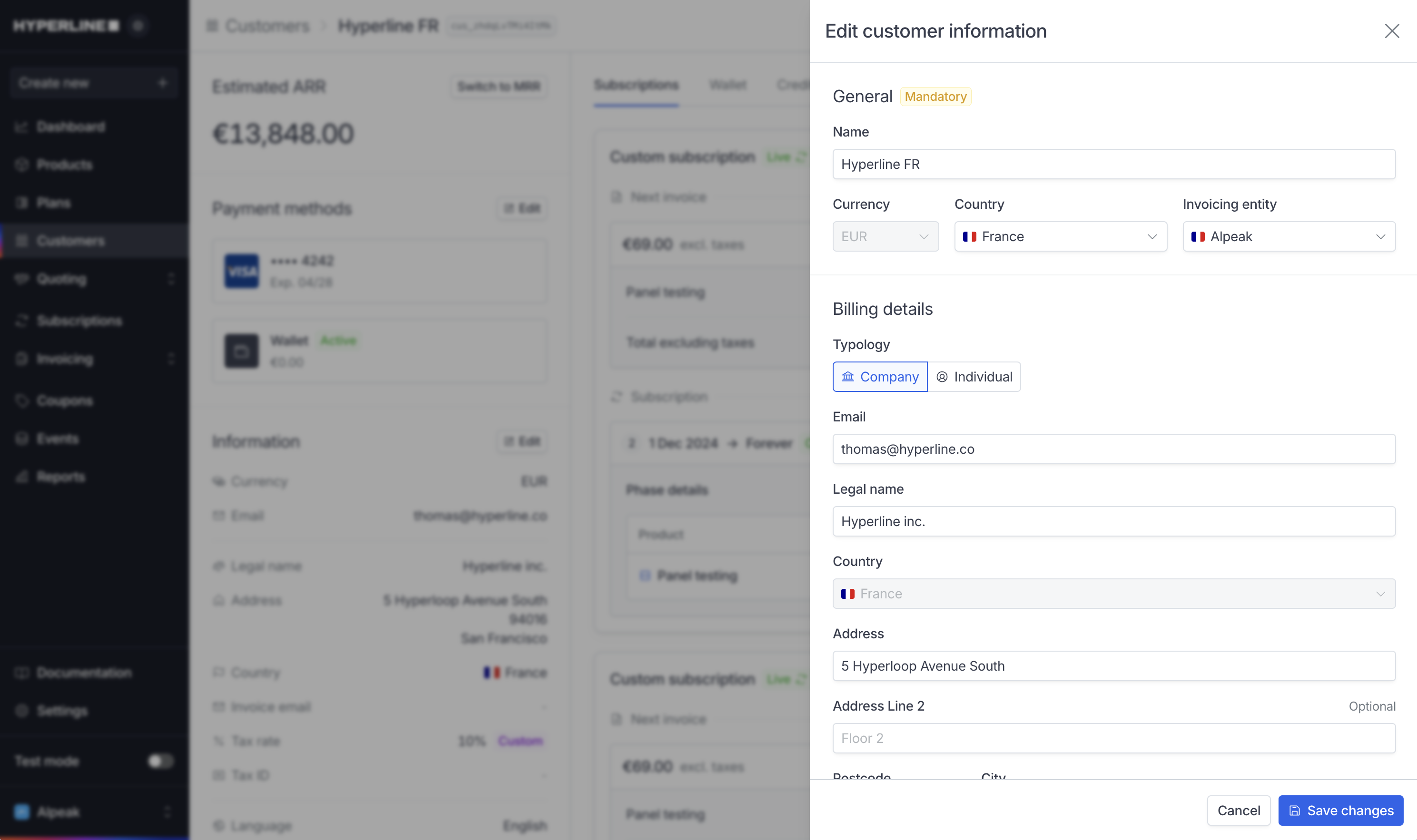
You can’t change the currency in the following cases:
- Once a customer has a wallet with funds or an active payment method (you must remove the payment method and delete the wallet first)
- When using an external billing engine (you must manage the currency in the external tool)
Force draft invoices
The Force draft invoices setting on the customer forces every invoice generated for that customer to be created as adraft. This lets you review and validate it manually before it’s sent.
Enable it from the customer’s edit page by toggling Force draft invoices on. It applies to all invoices generated for the customer: subscriptions, one-off invoices, and parent invoices in organisation-based billing or consolidated invoicing.
This customer-level setting overrides the subscription-level Generate draft invoices option. When it is enabled, invoices land in
draft even if their subscription is not configured to draft invoices, and even after a grace period ends.Taxability
Customer taxability controls whether Hyperline should apply taxes to that customer.- Taxable is the default behavior. Hyperline calculates taxes from your tax settings, the customer’s billing country, tax ID, and the products being billed.
- Tax exempt prevents tax from being charged to the customer. Use it only when the customer is exempt from tax for your billing context.
If Require customer tax identifier is enabled in the invoicing entity’s tax settings, company customers must provide a Tax ID. When local tax numbers are enabled, they can provide a local tax number instead.
Tax identifiers
A company customer can have two tax identifiers:- Tax ID: The primary tax identifier, such as an EU VAT number. Hyperline uses this value for tax calculation, validation, and reverse charge rules.
- Local tax number: A country-specific identifier used for local invoicing or reporting requirements. Hyperline does not validate this value through VIES or use it to determine reverse charge eligibility.
Tax ID validation
Customer tax IDs show a validation status on the customer page. For EU VAT numbers, Hyperline validates the number through the EU VAT Information Exchange System (VIES) and stores the consultation number when available. The main statuses arevalid, invalid, mismatch, unverified, and unsupported. See Tax ID validation for the full status reference and the related invoicing entity enforcement settings.
French tax IDs and registration numbers
For French customers, Hyperline can use the Registration number field, which may be a SIREN or SIRET, to prefill the customer’s Tax ID. If the tax ID is empty and you enter a valid French registration number, Hyperline derives the French VAT number automatically. If you provide both values, Hyperline keeps the tax ID and registration number as entered, even if they do not match. This lets you save the customer details first and review the values later from the tax ID validation status. When a tax ID was previously inferred from a French registration number, updating the registration number refreshes the inferred tax ID. Hyperline preserves tax IDs that were explicitly entered.Addresses
Billing address
You can save one billing address per customer to display on quotes and invoices. You can add or edit it in the customer’s details. Hyperline also uses it as the shipping destination unless you select a separate shipping address.Shipping address
You must enable shipping details for the customer’s invoicing entity before shipping controls are available. You can save multiple shipping addresses for a customer while keeping one billing address. For example, you can save a customer’s head office and regional offices, then select which location to use for each subscription.Manage saved addresses
Open the customer’s details to add or edit shipping addresses. You manage each saved address separately. Adding an address does not automatically make it the customer’s shipping destination.Select the default destination
By default, Hyperline uses the billing address as the shipping destination. You can instead select a saved shipping address as the customer’s default destination. Switching back to the billing address preserves the saved shipping addresses. Selecting a different destination does not edit those addresses or change existing invoices. Subscriptions without a specific shipping address follow this customer destination. A subscription-specific address takes precedence, so changing the customer’s default does not change that subscription’s selection.Customer portal and documents
When shipping details are enabled, customers can edit their shipping address directly from the customer portal. You can also display shipping details on quotes and invoices.Delete a shipping address
Before deleting a shipping address:- If it is the customer’s selected shipping destination, select another saved address or switch to the billing address first.
- If a subscription references it, change or clear the selection on every subscription that uses it first.
Shipping address is subject to activation on our side. Please contact support if you are interested.