

Subscription billing or direct customer assignment
An aggregator can reach a customer in two ways:
You can use the same aggregator in both configurations. If it is both part of a subscription and assigned directly to the same customer, Hyperline avoids showing a duplicate usage card. The subscription’s metering period takes precedence for the subscription-linked card.
Direct assignment is not an alternative way to bill usage. It only exposes the metric on the selected customer records for monitoring, analysis, and threshold alerts.
Operations
An aggregator uses one of three operations to compute a usage metric from your events:Count
Counts the number of matching events. Use this when you bill based on the number of occurrences (e.g., API calls, logins, transactions).Sum
Sums the value of a specific numeric property across matching events. Use this when you bill based on a cumulative measure (e.g., data transferred in GB, compute hours consumed). When using Sum, you must specify which event property to aggregate.SQL formulas
Use SQL formula when Count or Sum is not enough, and you need to combine, compare, or adjust values before billing them. A formula runs on the events selected by the aggregator’s Event type and Filters. SQL formulas use a restricted calculation syntax: they do not accept arbitrary SQL operators, functions, or queries.Supported syntax
Every formula must contain at least one aggregate function. Write numeric event properties directly by name and place every property reference inside an aggregate function:
first(property) and last(property) use the value from the earliest, respectively the most recent, matching event that contains the property. Events are ordered by their event timestamp; if timestamps match, first() uses the event received first and last() the one received last.
Both only look at events inside the billing period. No value is carried over from an earlier one. If you only send an event when the value changes, a period in which nothing was sent counts as 0. In that case, first() returns the first value sent within that period rather than the value in force when it started. To bill on first(), make sure your integration sends at least one event per billing period.
You can then combine those results:
Unsupported syntax
Hyperline rejects anything outside the supported syntax above. This includes:- SQL queries and clauses such as
SELECT,FROM,WHERE, andCASE - Other SQL operators, including
ANY,AND,OR,>,>=,<, and<= - Arbitrary SQL functions, casts, aliases, comments, and semicolons
- Nested aggregate functions such as
sum(max(seats))
Configuration
When creating an aggregator, you configure the following:- Name: A descriptive label for the aggregator
- Event type: The type of event to aggregate (e.g.,
api_calls,storage,users) - Operation: Count, Sum, or SQL formula (and the target property for Sum)
- Unit name: The label displayed alongside aggregated values (e.g.
API calls,GB,seats). Surfaces on usage charts, prices, invoices, and the customer portal. - Filters: Optional conditions to narrow which events are included. Filters support AND/OR logic with operators like
equals,in,gte,lt, etc. - Exposed event keys: Event fields to surface in the UI for transparency and debugging
- Allow negative values: Whether the aggregated result can go below zero
The unit name is configured on the aggregator itself. It used to live on each product; products linked to an aggregator now inherit its unit name automatically.
Default aggregation interval
You can set a default aggregation interval on an aggregator by specifying a count and a period (days, weeks, months, or years). Hyperline uses it to display and evaluate the metric when the aggregator is assigned directly to customers without a subscription. For an aggregator used through a subscription, the subscription’s metering period determines the current value instead. The aggregator’s default interval does not change how that subscription is billed.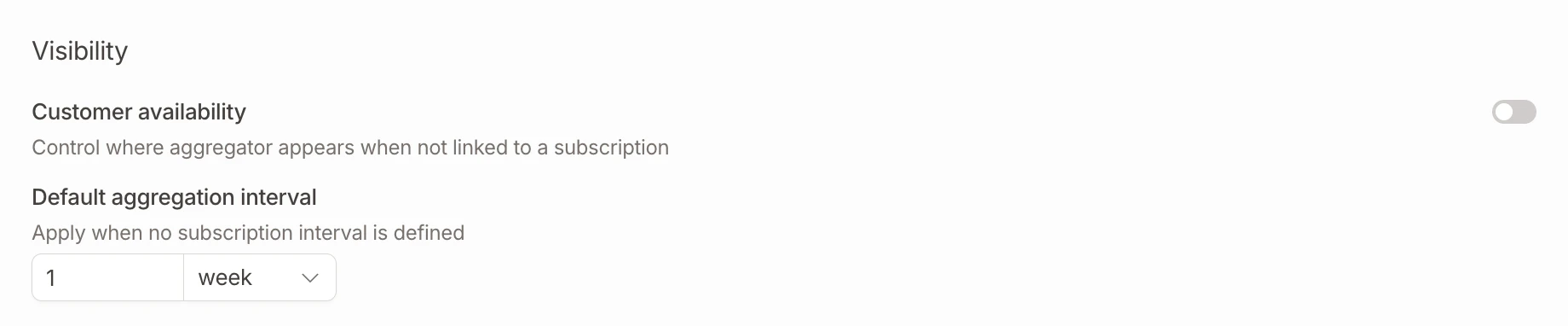
Default aggregation interval setting on an aggregator
Aggregator filters
Aggregator filters let you define named filter sets on an aggregator. Each filter combines conditions using AND/OR logic on event properties (e.g.,region equals "eu", plan in ["pro", "enterprise"]).
Filters serve two purposes:
- Billing: different prices can apply based on which filter an event matches (see price metering filters)
- Usage visualization: on the customer Usage tab, each filter appears as a separate line on the usage chart with its own color and legend entry
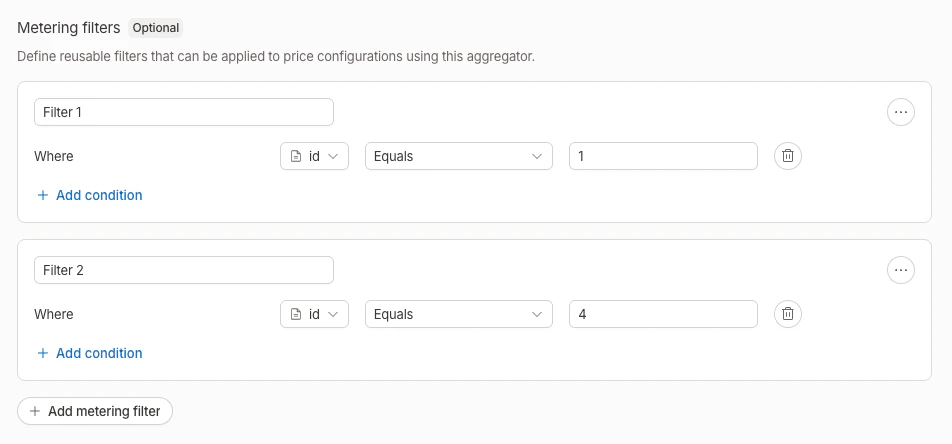
Aggregator filters configuration
Thresholds
Thresholds let you define alert conditions on an aggregator. Each threshold specifies:- Name (optional): A descriptive label for the threshold
- Operator: Greater than or equal to (
>=) or less than or equal to (<=) - Value: The numeric threshold value
- For a subscription-linked aggregator, Hyperline uses the subscription’s metering period.
- For an aggregator assigned directly to customers, Hyperline uses its default aggregation interval. This direct monitoring workflow requires the Customer Intelligence module.
aggregator.threshold_crossed event) or Slack notifications. A threshold alert does not create a charge or change an invoice.
On the customer Usage tab, thresholds appear as dashed horizontal reference lines on the usage chart, with the operator and value shown as labels.
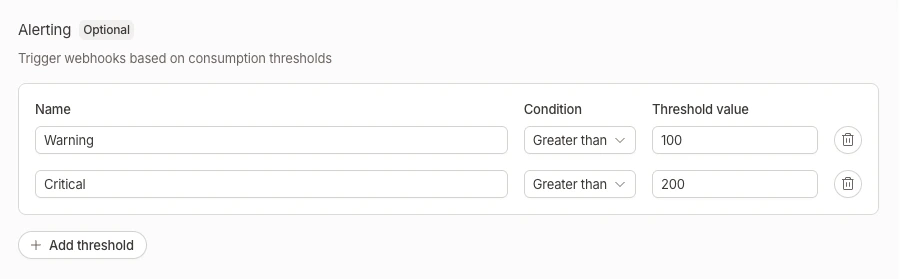
Aggregator thresholds configuration
Which products use aggregators?
Not all product types require an aggregator. Here’s when you need one:A seat product becomes a connected seat product when you select an aggregator for it.
Managing aggregators
Navigate to Usage > Aggregators to create, edit, and delete aggregators.Create an aggregator
Click New aggregator, configure the operation, event type, and optional filters, then save.Edit an aggregator
Click an existing aggregator to update its configuration. The detail page also shows which products are currently linked to this aggregator.Delete an aggregator
You can only delete an aggregator if no products are linked to it.Linking an aggregator to a product
When creating or editing a usage-based, credit, or connected seat product, you select an existing aggregator from a dropdown instead of configuring metering inline.- Usage products: select any aggregator (count or sum)
- Credit products: select any aggregator (count or sum)
- Seat products: select a count aggregator (only when connected seats are enabled)