

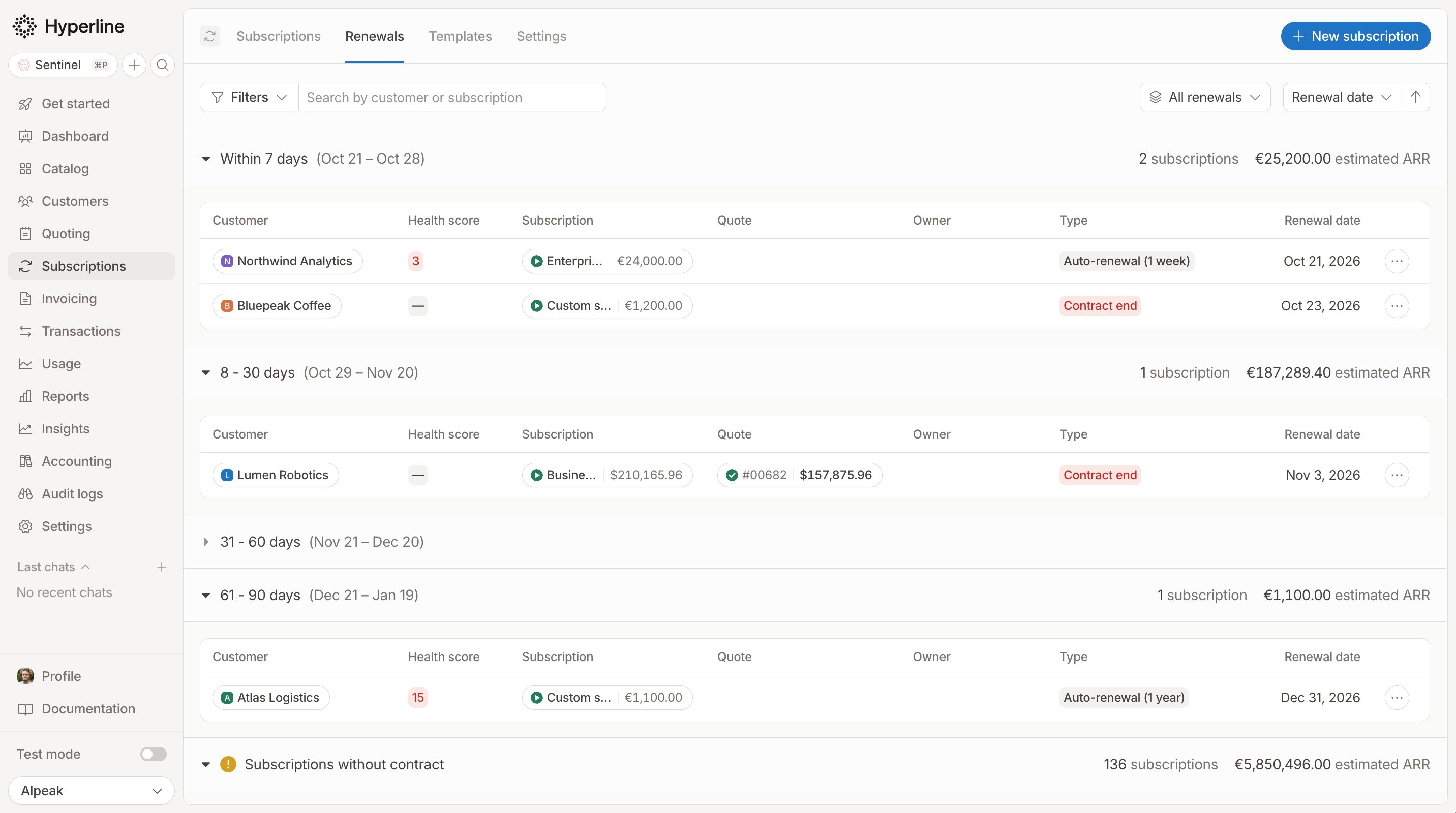
Upcoming renewals grouped by time window, with the estimated ARR of each window
How it works
- Only active subscriptions with a custom contract appear in the time windows.
- Subscriptions are grouped by renewal date: Within 7 days, 8 - 30 days, 31 - 60 days and 61 - 90 days. Each window shows its dates, the number of subscriptions and their total estimated ARR, converted to your reporting currency.
- The renewal date is the contract end date, or the cancellation date when a cancellation is scheduled.
- The Type column shows what happens on that date:
- Each row also shows the subscription, the quote it was created from, if any, and the renewal date.
Example 💡
A three-year contract with a one-year renewal duration ends on December 31. It appears in 61 - 90 days from early October, typed
Auto-renewal (1 year). If you schedule a cancellation for December 31, it switches to Contract end.Subscriptions without contract
The last section, Subscriptions without contract, lists the active subscriptions that have no custom contract, so no renewal date to track. Review them to add a contract where one was agreed with the customer.Filter, search and sort
Search by customer or subscription name, or open Filters to narrow the list by:- Subscription: currency, invoicing entity, start date
- Customer: country, payment method, segment
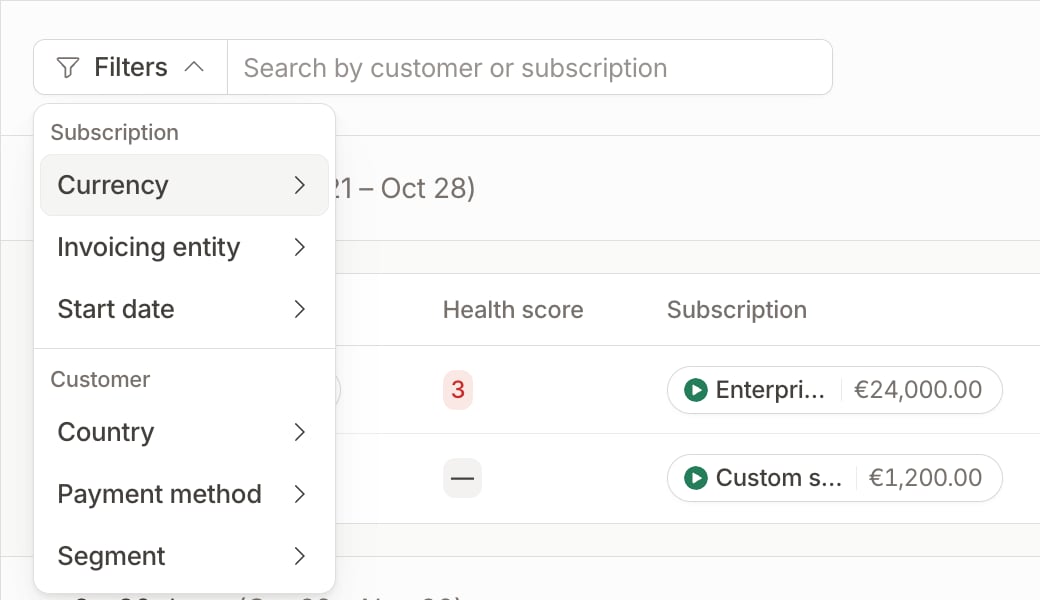
Filters grouped by subscription and customer
Focus on your accounts
With Customer Intelligence, the tab also shows each customer’s health score and owner. You can sort by Health score, with unscored customers last, and switch views: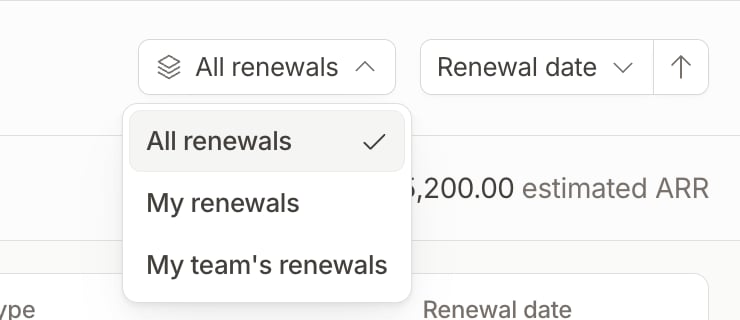
Renewal views
Customer Intelligence is a paid add-on. Contact the Hyperline team through the in-app chat to learn more or enable it for your account.
Act on a renewal
Open the row menu to:- View health score details: open the latest analysis of the customer monitoring agent for this customer. Available with Customer Intelligence once the customer has been analyzed.
- Edit contract details: change the contract dates or renewal settings of the subscription.
- Create update quote: prepare a quote to renew or change the subscription.
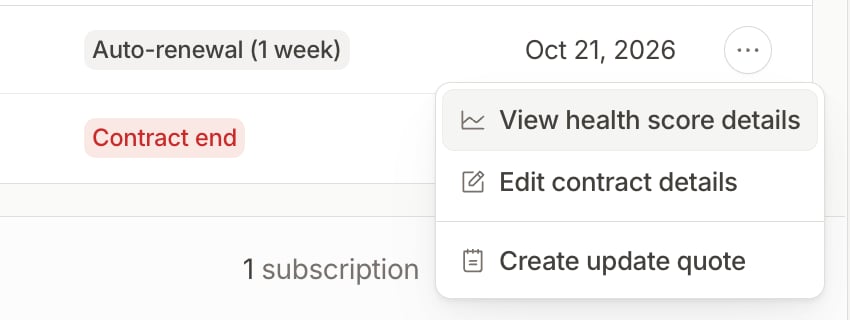
Row actions
Related pages
Contract
Contract dates, automatic renewal and price adjustments
Customer monitoring agent
How the health score is computed