> ## Documentation Index
> Fetch the complete documentation index at: https://docs.hyperline.co/llms.txt
> Use this file to discover all available pages before exploring further.
# Connect with Snowflake
> Pull data automatically from your Snowflake warehouse
This guide is specific to setting-up a dataloader with [Snowflake](https://www.snowflake.com), to learn more about data loaders in general, you can read our [general article](./usage-data-with-connectors).
## Connect to your database
To get start, just go to the [data loaders page](https://app.hyperline.co/app/events/loaders) in Hyperline, create a new Connection and select "Snowflake" in the dropdown list.
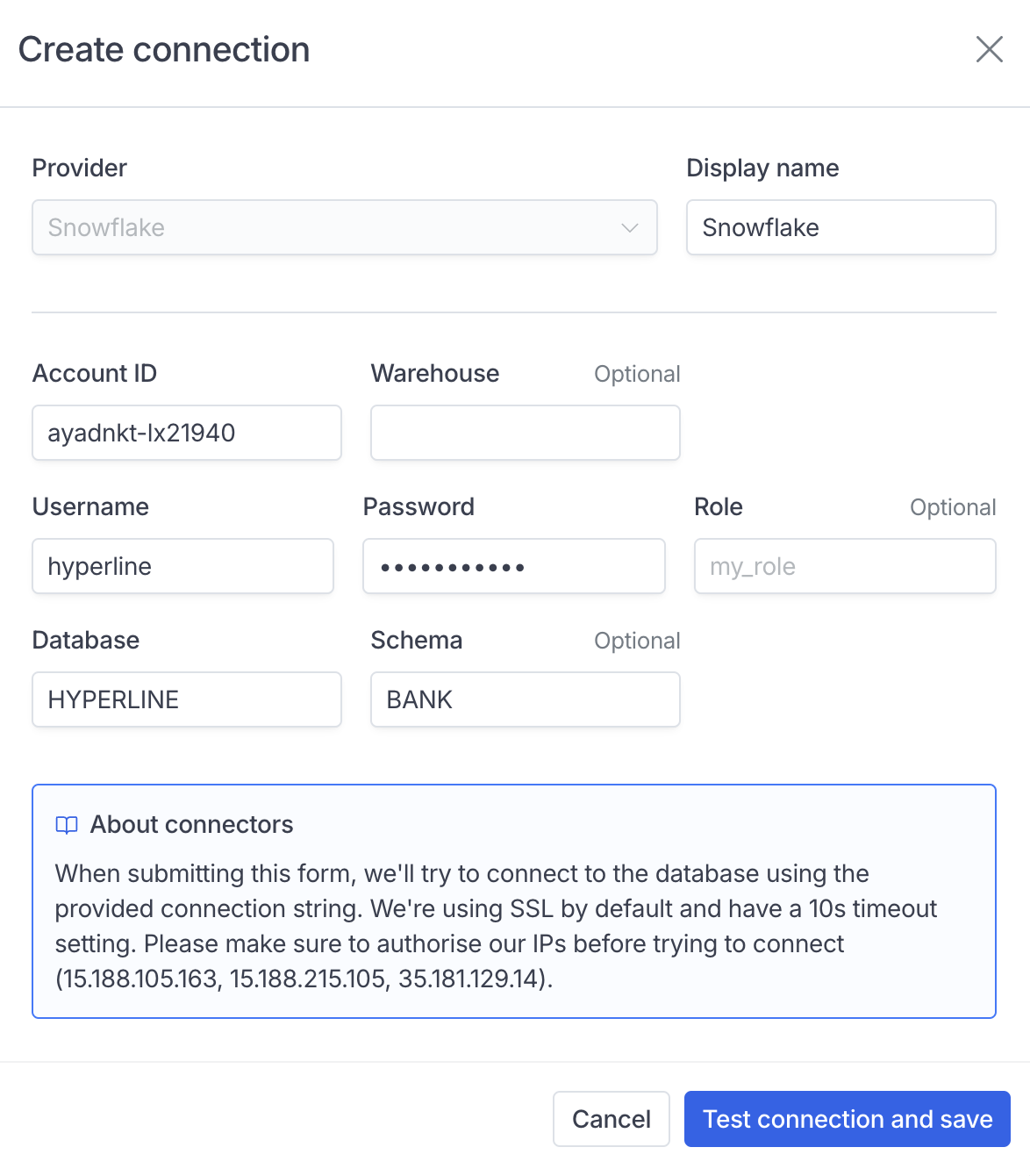 Fill in the form with your connection details, Hyperline will only need a read access to the tables you need to synchronise.
## Load your data
Snowlake is a standard SQL loaders and you just to write a Snowflake compatible SQL query. Hyperline will run it as the role/user that was used to connect to the database.
As always, make sure to include an `id`, `customerId` and `timestamp` fields with the correct casing.
Fill in the form with your connection details, Hyperline will only need a read access to the tables you need to synchronise.
## Load your data
Snowlake is a standard SQL loaders and you just to write a Snowflake compatible SQL query. Hyperline will run it as the role/user that was used to connect to the database.
As always, make sure to include an `id`, `customerId` and `timestamp` fields with the correct casing.