> ## Documentation Index
> Fetch the complete documentation index at: https://docs.hyperline.co/llms.txt
> Use this file to discover all available pages before exploring further.
# Simulate usage data
> Simulate usage data without code for testing purposes
Want to test Hyperline by creating your first usage-based subscription for a customer, but don’t have technical skills or simply want to move fast? This guide is for you.
In the [sandbox (Test mode) environment](https://sandbox.app.hyperline.co), you can simulate usage data with fake events for any customer in just a few steps.
1. Go to one of your customers → ***Events*** tab
2. Click ***Simulate new events***
3. Fill in the ***Event type*** field with the event name used to aggregate usage in your product configuration, along with the date and number of events to create. Optionally, you can add extra parameters using the JSON ***Payload*** field
4. Click ***Create new events***
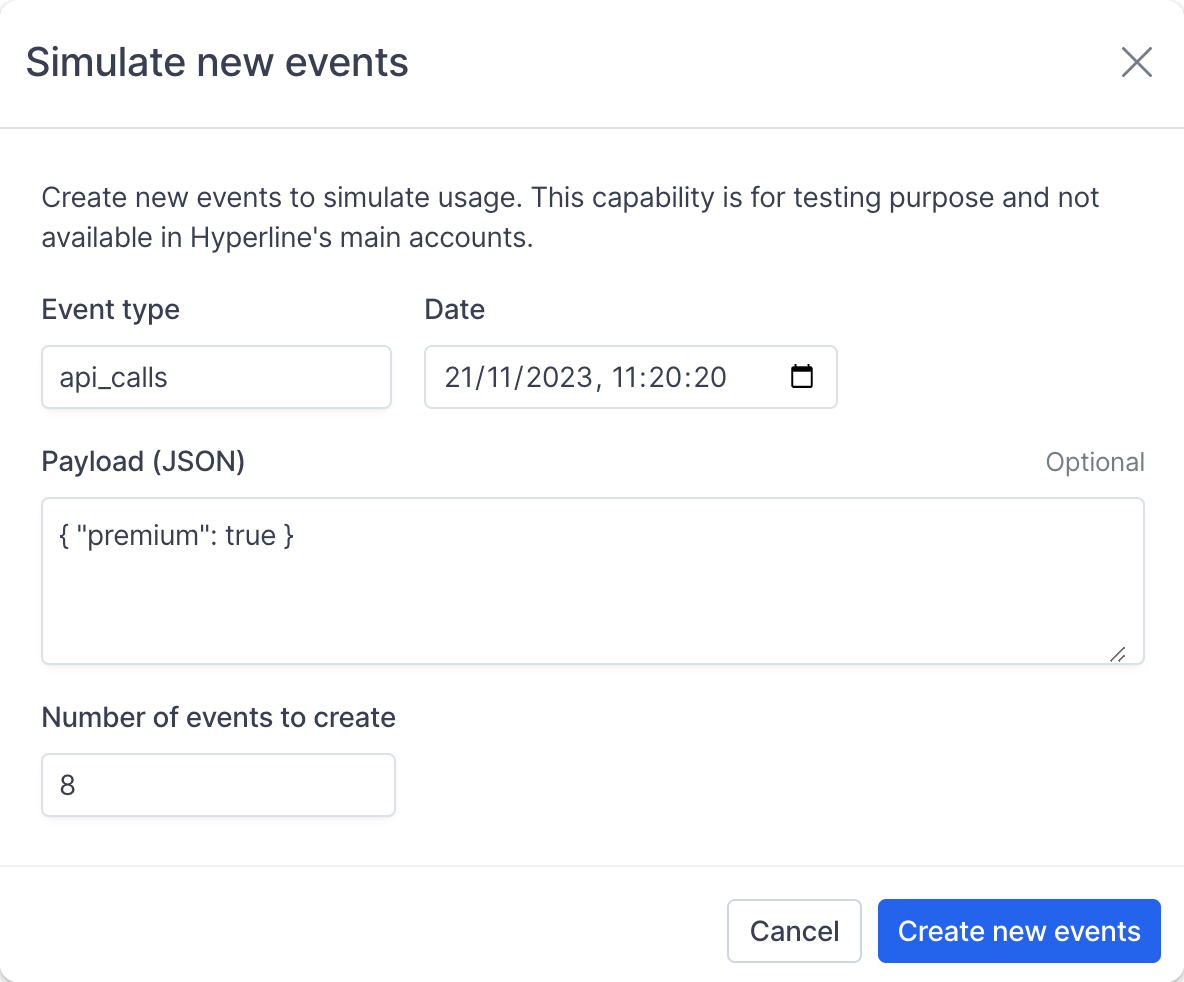 Events may take a few seconds to be ingested. You’ll see them appear in your customer’s ***Events*** page — and you can easily delete them afterward if needed.
You can also view the customer’s subscription usage details and updated next payment amount in the ***Subscription*** tab, and check the ***open*** invoice (the next invoice to be charged at the end of the billing period) in the ***Invoices*** tab.
Note: it may take a few minutes for the invoice to appear.
Events may take a few seconds to be ingested. You’ll see them appear in your customer’s ***Events*** page — and you can easily delete them afterward if needed.
You can also view the customer’s subscription usage details and updated next payment amount in the ***Subscription*** tab, and check the ***open*** invoice (the next invoice to be charged at the end of the billing period) in the ***Invoices*** tab.
Note: it may take a few minutes for the invoice to appear.