> ## Documentation Index
> Fetch the complete documentation index at: https://docs.hyperline.co/llms.txt
> Use this file to discover all available pages before exploring further.
# Connect with MongoDB
> Pull data automatically from your MongoDB database
This guide is specific to setting-up a dataloader with [MongoDB](https://www.mongodb.com), to learn more about data loaders in general, you can read our [general article](./usage-data-with-connectors).
## Connect to your database
To get start, just go to the [data loaders page](https://app.hyperline.co/app/events/loaders) in Hyperline, create a new Connection and select "MongoDB" in the dropdown list.
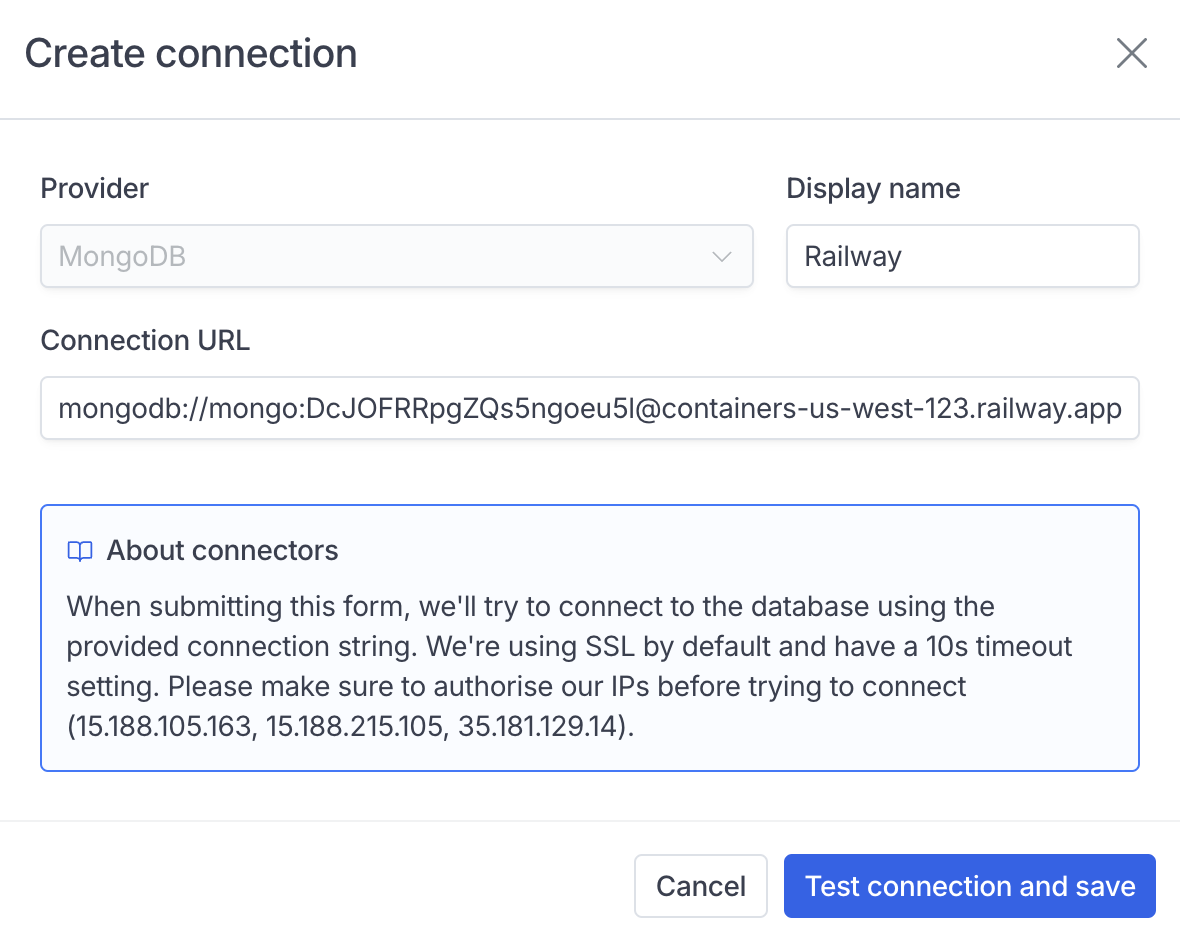 To setup our MongoDB connector, you'll just need a valid database URL - you can also pass additional parameters within the URL if you need custom options.
## Load your data
Create a new dataloader directly below the new connection, you'll be asked to prompt a JSON query.
Your query needs to include a `collection` attribute pointing to your base collection, because opposed to tranditional SQL providers, MongoDB doesn't allow direct aggregation queries without a default collection.
A simple query to load 3 fields from a collection would typically look like this, with everything outside of "collection" being valid MongoDB query fields (you can use aggregate, lookups, filters...).
Hyperline will parse the JSON from your input and transform it into a valid MongoDB query to run on the connected server.
To setup our MongoDB connector, you'll just need a valid database URL - you can also pass additional parameters within the URL if you need custom options.
## Load your data
Create a new dataloader directly below the new connection, you'll be asked to prompt a JSON query.
Your query needs to include a `collection` attribute pointing to your base collection, because opposed to tranditional SQL providers, MongoDB doesn't allow direct aggregation queries without a default collection.
A simple query to load 3 fields from a collection would typically look like this, with everything outside of "collection" being valid MongoDB query fields (you can use aggregate, lookups, filters...).
Hyperline will parse the JSON from your input and transform it into a valid MongoDB query to run on the connected server.
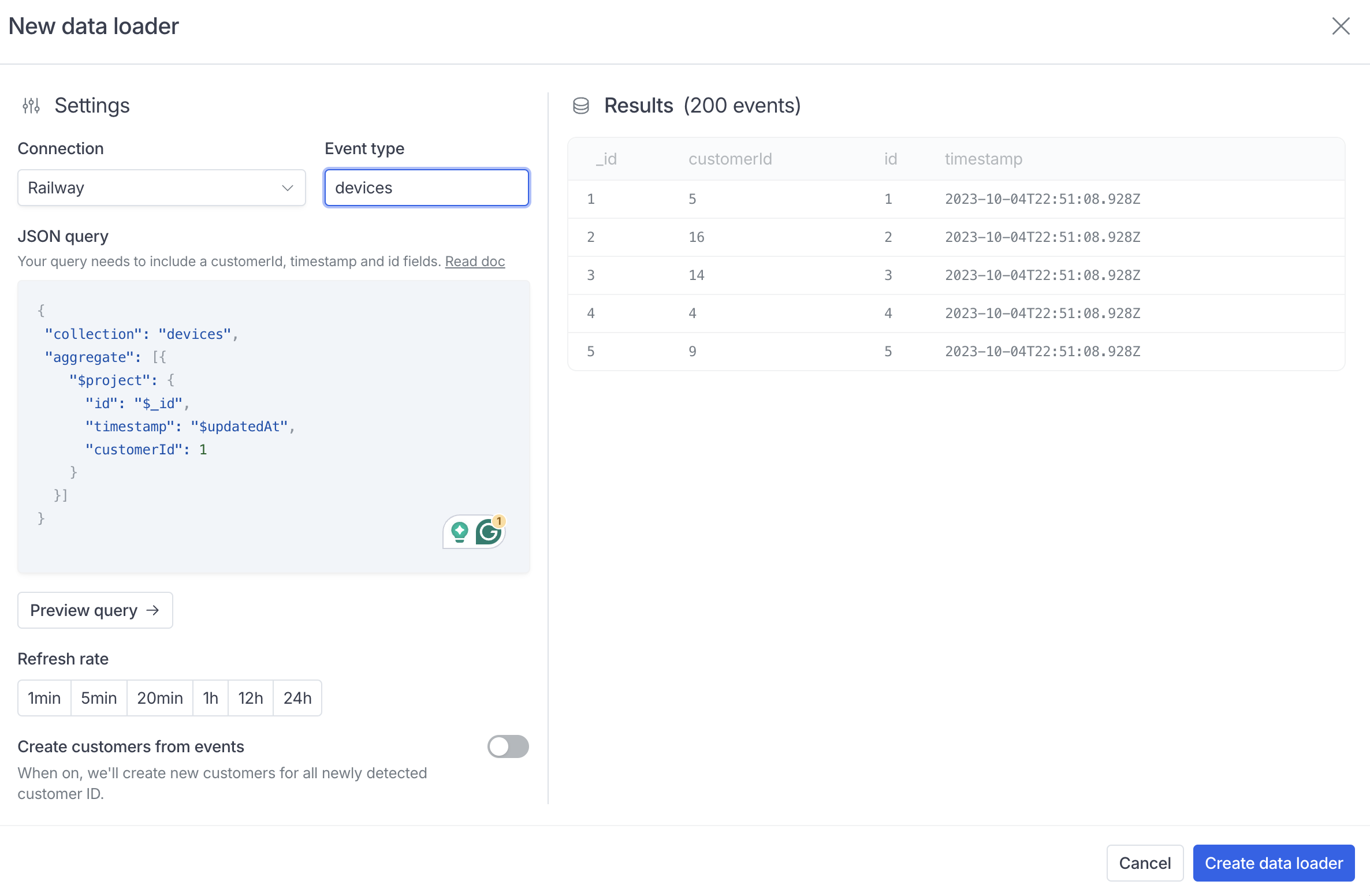 Make sure to include an `id`, `customerId` and `timestamp` field with the correct casing.