> ## Documentation Index
> Fetch the complete documentation index at: https://docs.hyperline.co/llms.txt
> Use this file to discover all available pages before exploring further.
# Import events with a CSV file
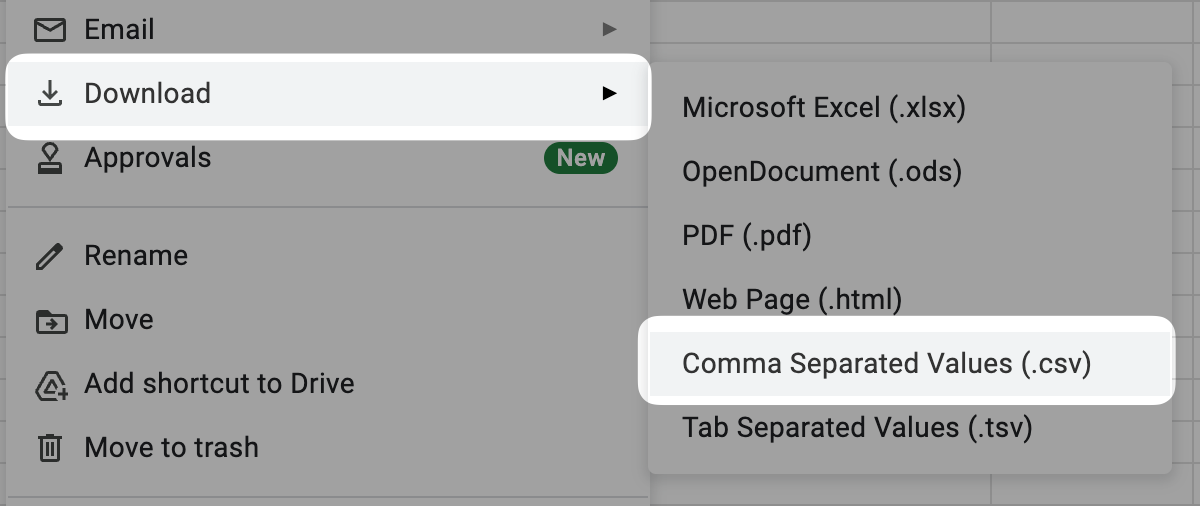
You can import events in bulk by uploading a CSV file. You can create your CSV using tools like **Google Sheets**, **Excel**, or any spreadsheet editor.\
Writing the CSV manually is possible but **not recommended** due to the risk of formatting mistakes.
## Required fields
Each event row must include:
* **`timestamp`** — When the event occurred, in **ISO 8601** format.
* **`event_type`** — The name of the event. This value is flexible and later used when configuring your products.
* **`customer_id`**
* **`record/id`** — A unique identifier for the event.\
Uploading another event with the same `record/id` will overwrite the previous one.

 ## Custom fields
You can add as many custom fields as needed.
All custom fields must start with the prefix **`record/`**.\
For example, to create a field named `count`, name the column **`record/count`**.
## Upload your file
To begin, open the **[Events Explorer](https://app.hyperline.co/app/events/explore)** in Hyperline.
## Custom fields
You can add as many custom fields as needed.
All custom fields must start with the prefix **`record/`**.\
For example, to create a field named `count`, name the column **`record/count`**.
## Upload your file
To begin, open the **[Events Explorer](https://app.hyperline.co/app/events/explore)** in Hyperline.
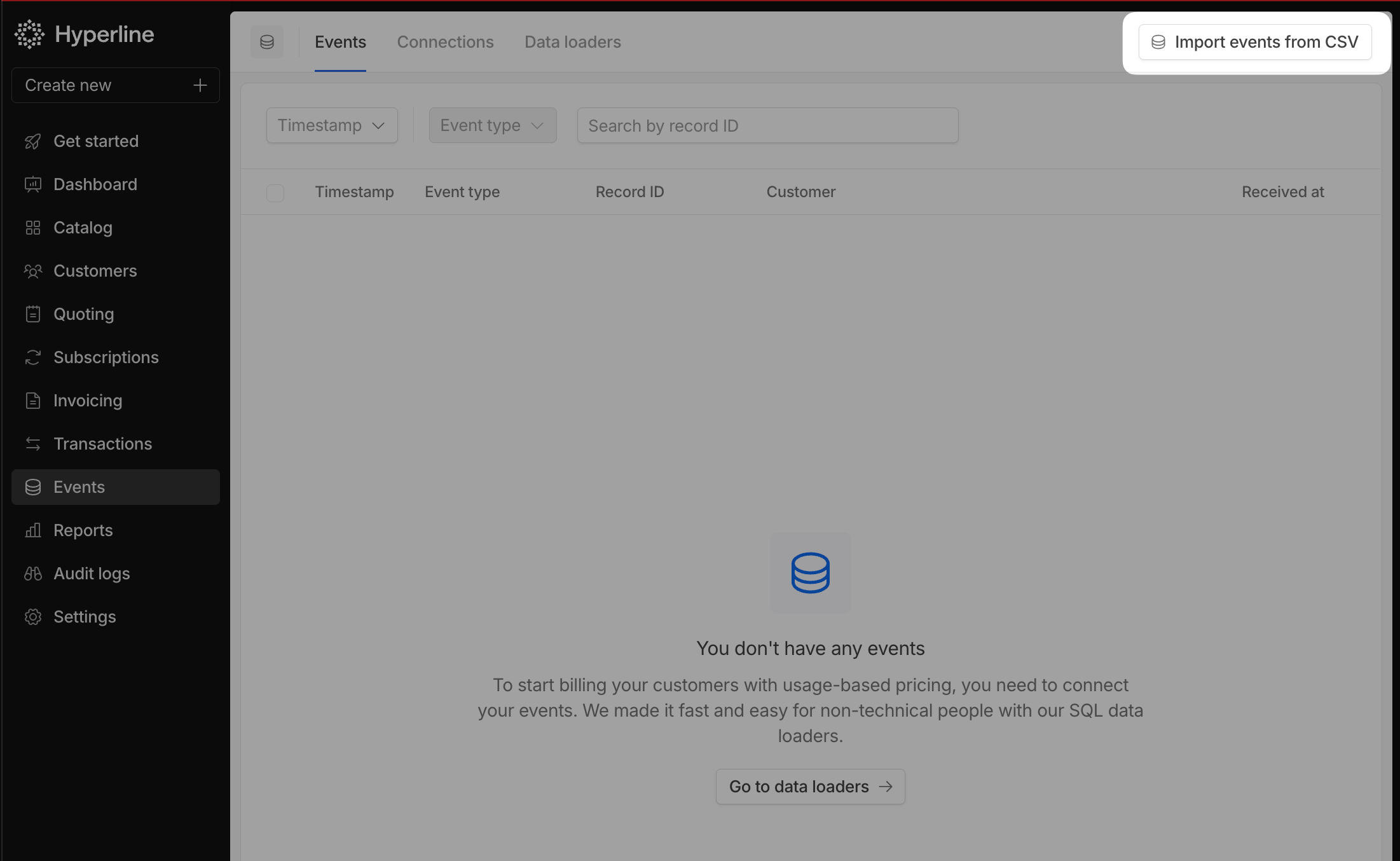 Click **Import events from CSV** in the top-right corner to open the upload modal.
You can also download a **CSV template** from the same modal.\
The template includes the correct header row and a sample event to help you get started.
Click **Import events from CSV** in the top-right corner to open the upload modal.
You can also download a **CSV template** from the same modal.\
The template includes the correct header row and a sample event to help you get started.
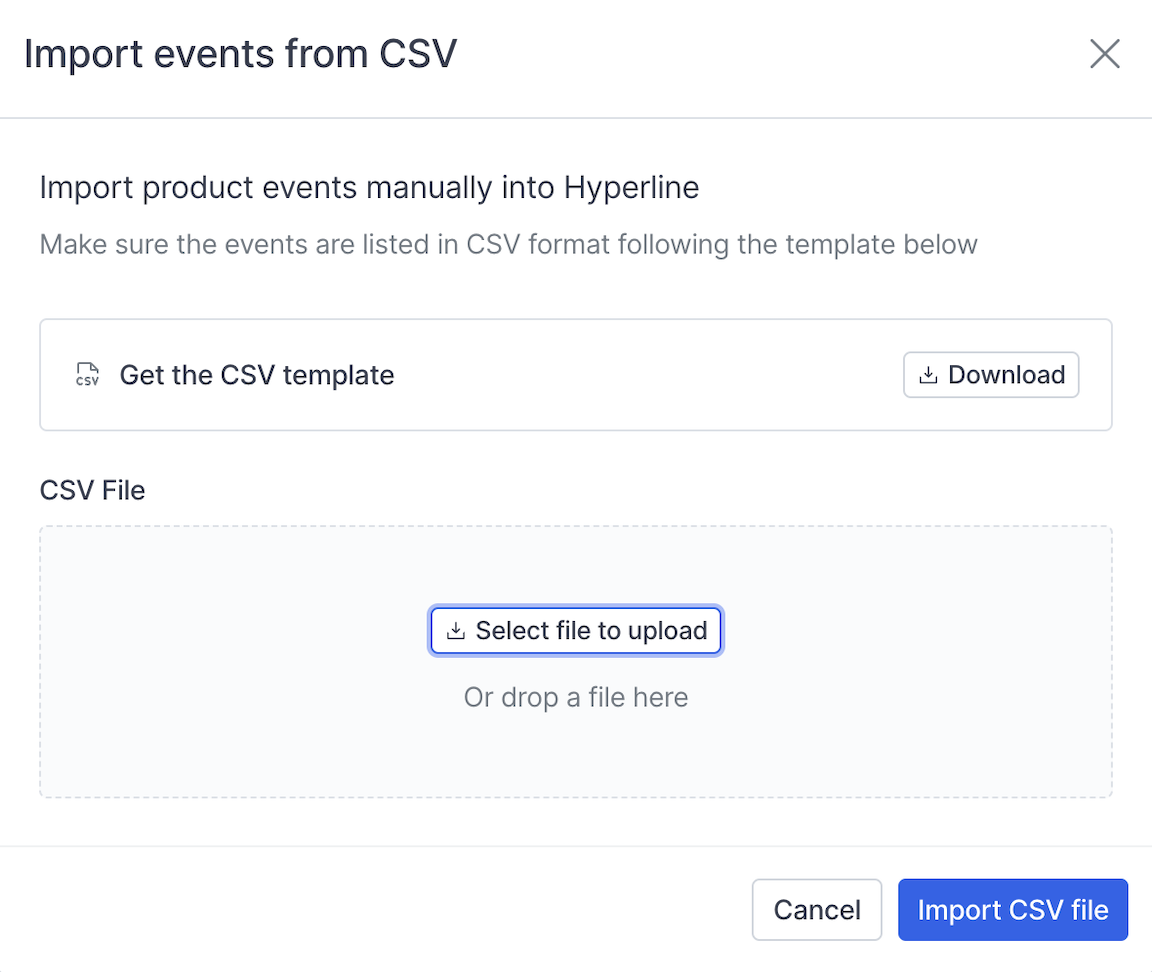 After selecting your file, click **Import CSV file** to start the upload.\
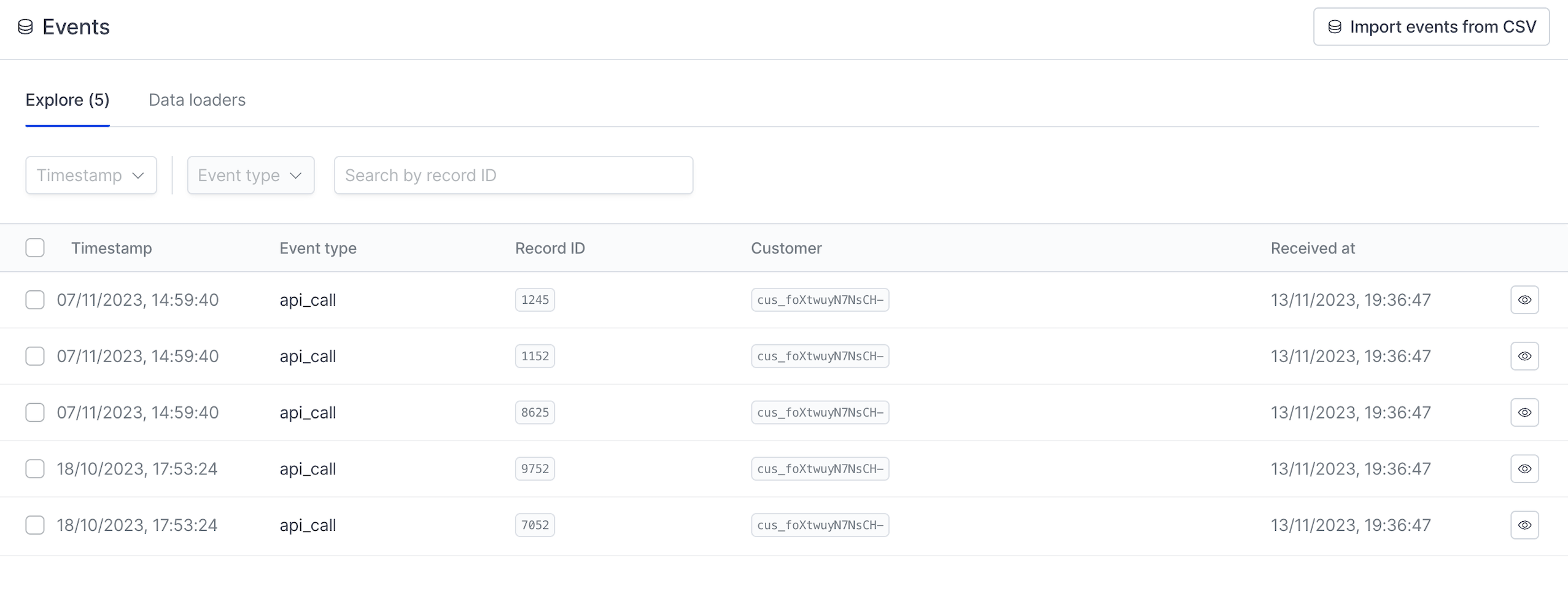
If the file contains no errors, your events will be imported and ready for analysis.
After selecting your file, click **Import CSV file** to start the upload.\
If the file contains no errors, your events will be imported and ready for analysis.
 ## Manually writing the CSV file
When preparing your CSV file, make sure it follows these rules:
* Use **commas** as field separators.
* Wrap fields in **double quotes** if they contain commas or line breaks.
* Always include a **header row** to describe each column.
* Use the **ISO 8601** format for the `timestamp` field.
* Use a consistent format for nested fields, such as `record/id` or `record/amount`.
* All standard fields are required. `record/` fields are optional and as many as needed can be declared
### Example
Below is an example of a valid CSV file.\
(`record/type` and `record/is_live` are only examples—you can define your own fields.)
```csv theme={null}
timestamp,event_type,record/id,record/type,record/is_live,customer_id
"2023-11-07T13:59:40.536Z",api_call,1245,"paid",true,"cus_foXtwuyW7NsCH-"
"2023-11-07T13:59:40.536Z",api_call,1152,"to_pay",true,"cus_foXtwuyW7NsCH-"
"2023-11-07T13:59:40.536Z",api_call,8625,"pending",false,"cus_foXtwuyW7NsCH-"
"2023-10-18T15:53:24.772Z",api_call,9752,"closed",true,"cus_foXtwuyW7NsCH-"
"2023-10-18T15:53:24.772Z",api_call,7052,"open",true,"cus_foXtwuyW7NsCH-"
```
Notes:
* `record/id` is numeric and does not require quotes.
* String fields (such as `record/type`) must be enclosed in quotes.
* Boolean fields (such as `record/is_live`) do not require quotes.
## Manually writing the CSV file
When preparing your CSV file, make sure it follows these rules:
* Use **commas** as field separators.
* Wrap fields in **double quotes** if they contain commas or line breaks.
* Always include a **header row** to describe each column.
* Use the **ISO 8601** format for the `timestamp` field.
* Use a consistent format for nested fields, such as `record/id` or `record/amount`.
* All standard fields are required. `record/` fields are optional and as many as needed can be declared
### Example
Below is an example of a valid CSV file.\
(`record/type` and `record/is_live` are only examples—you can define your own fields.)
```csv theme={null}
timestamp,event_type,record/id,record/type,record/is_live,customer_id
"2023-11-07T13:59:40.536Z",api_call,1245,"paid",true,"cus_foXtwuyW7NsCH-"
"2023-11-07T13:59:40.536Z",api_call,1152,"to_pay",true,"cus_foXtwuyW7NsCH-"
"2023-11-07T13:59:40.536Z",api_call,8625,"pending",false,"cus_foXtwuyW7NsCH-"
"2023-10-18T15:53:24.772Z",api_call,9752,"closed",true,"cus_foXtwuyW7NsCH-"
"2023-10-18T15:53:24.772Z",api_call,7052,"open",true,"cus_foXtwuyW7NsCH-"
```
Notes:
* `record/id` is numeric and does not require quotes.
* String fields (such as `record/type`) must be enclosed in quotes.
* Boolean fields (such as `record/is_live`) do not require quotes.