> ## Documentation Index
> Fetch the complete documentation index at: https://docs.hyperline.co/llms.txt
> Use this file to discover all available pages before exploring further.
# Translations
> Store custom product names and descriptions per subscription for multilingual customers
Translation overrides let you save custom product names and descriptions directly on a subscription. Once enabled, future catalog edits won't affect that customer's invoices.
Without overrides, Hyperline uses catalog translations when available, or falls back to the main product field.
## Set a default for all subscriptions
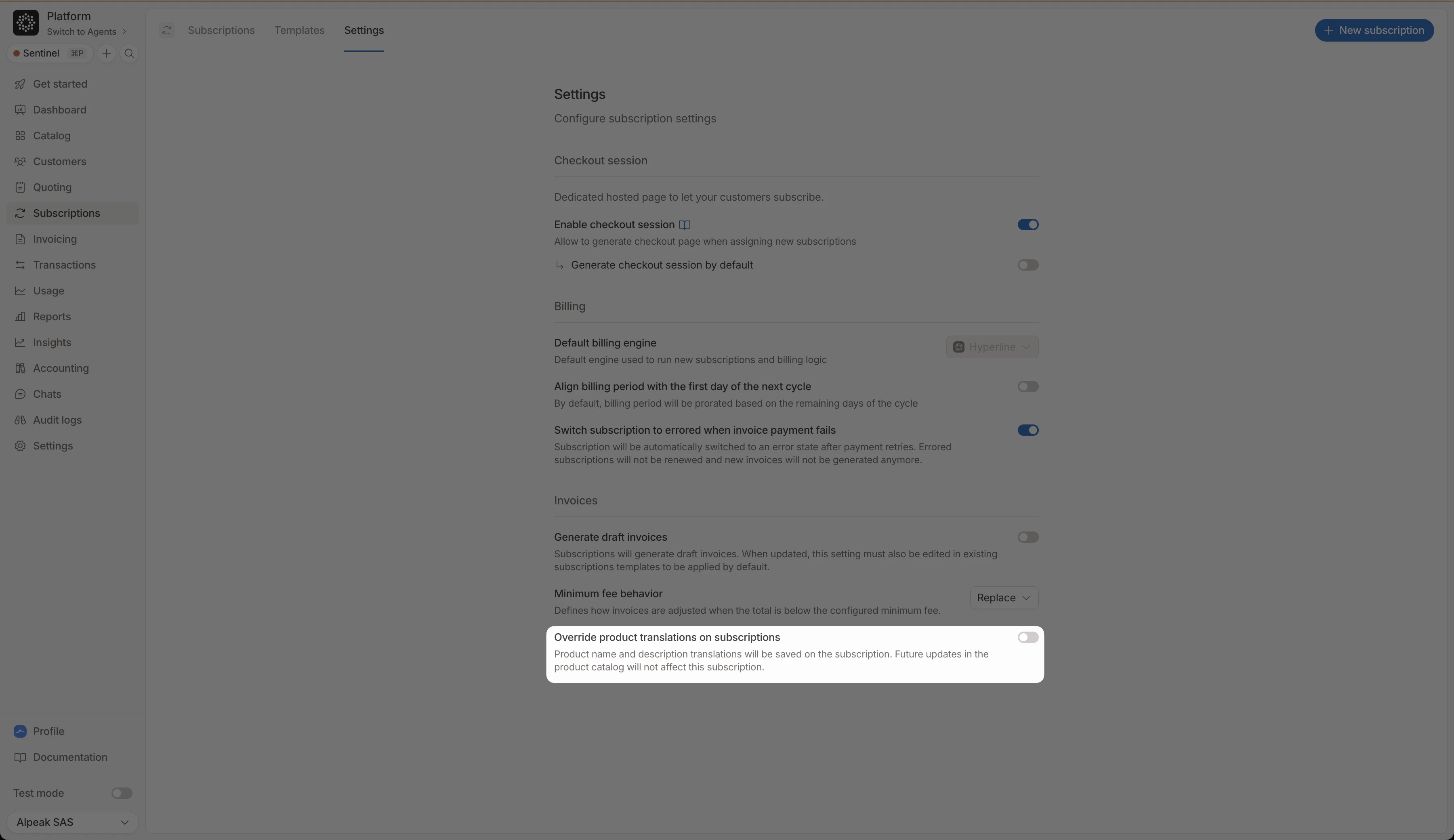 Go to **Settings → Subscriptions** and enable **Override product translations on subscriptions**. New products added to any subscription will have the override on by default. Existing subscriptions are unaffected.
## Enable per product
Go to **Settings → Subscriptions** and enable **Override product translations on subscriptions**. New products added to any subscription will have the override on by default. Existing subscriptions are unaffected.
## Enable per product
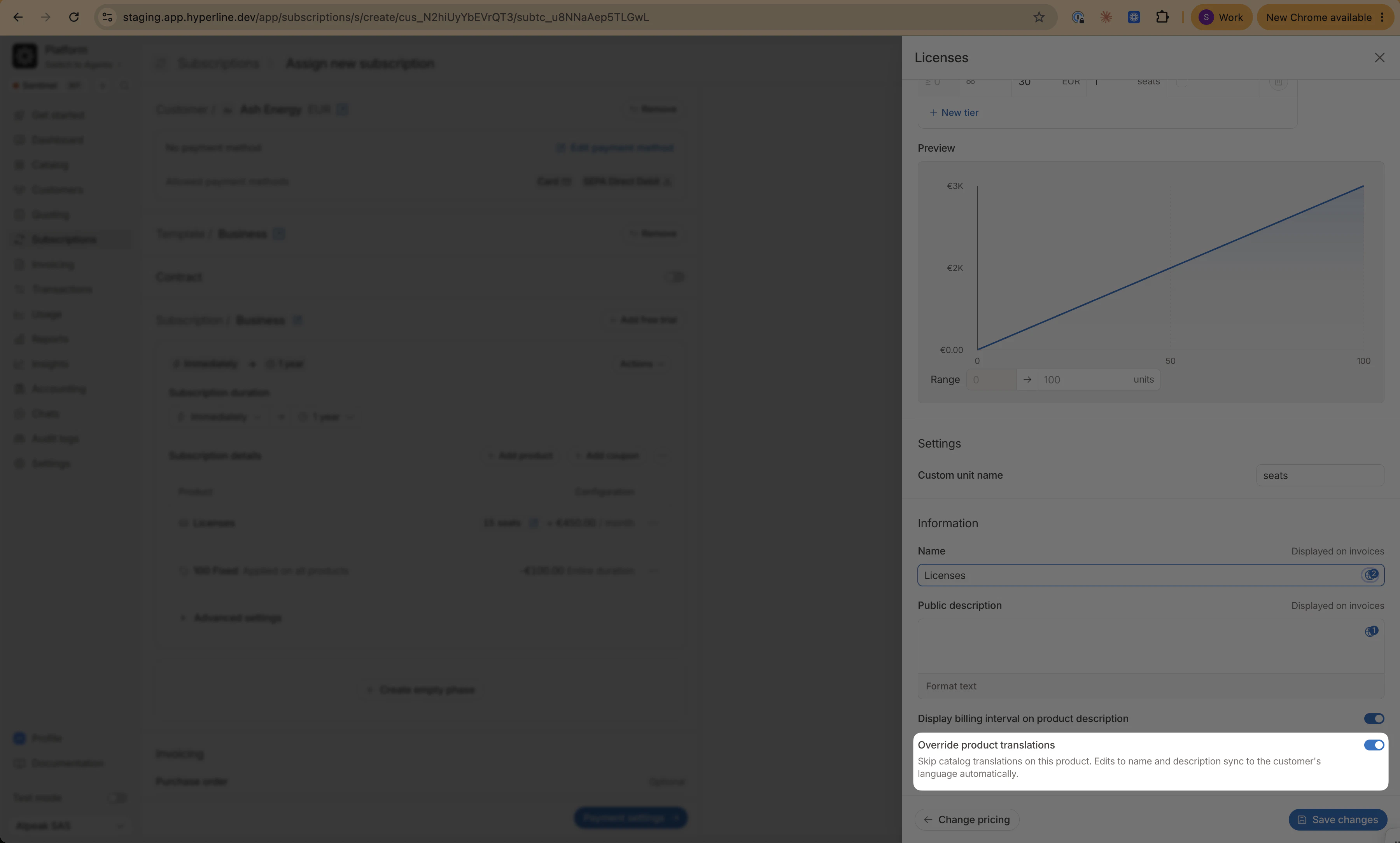 When creating or editing a subscription, scroll to the bottom of any product and toggle on **Override product translations**. A globe icon appears on the name and description fields.
The toggle only appears when the customer has a language set that differs from the invoicing entity's language. When both are the same, the main field already covers the only relevant locale.
## Edit translations
When creating or editing a subscription, scroll to the bottom of any product and toggle on **Override product translations**. A globe icon appears on the name and description fields.
The toggle only appears when the customer has a language set that differs from the invoicing entity's language. When both are the same, the main field already covers the only relevant locale.
## Edit translations
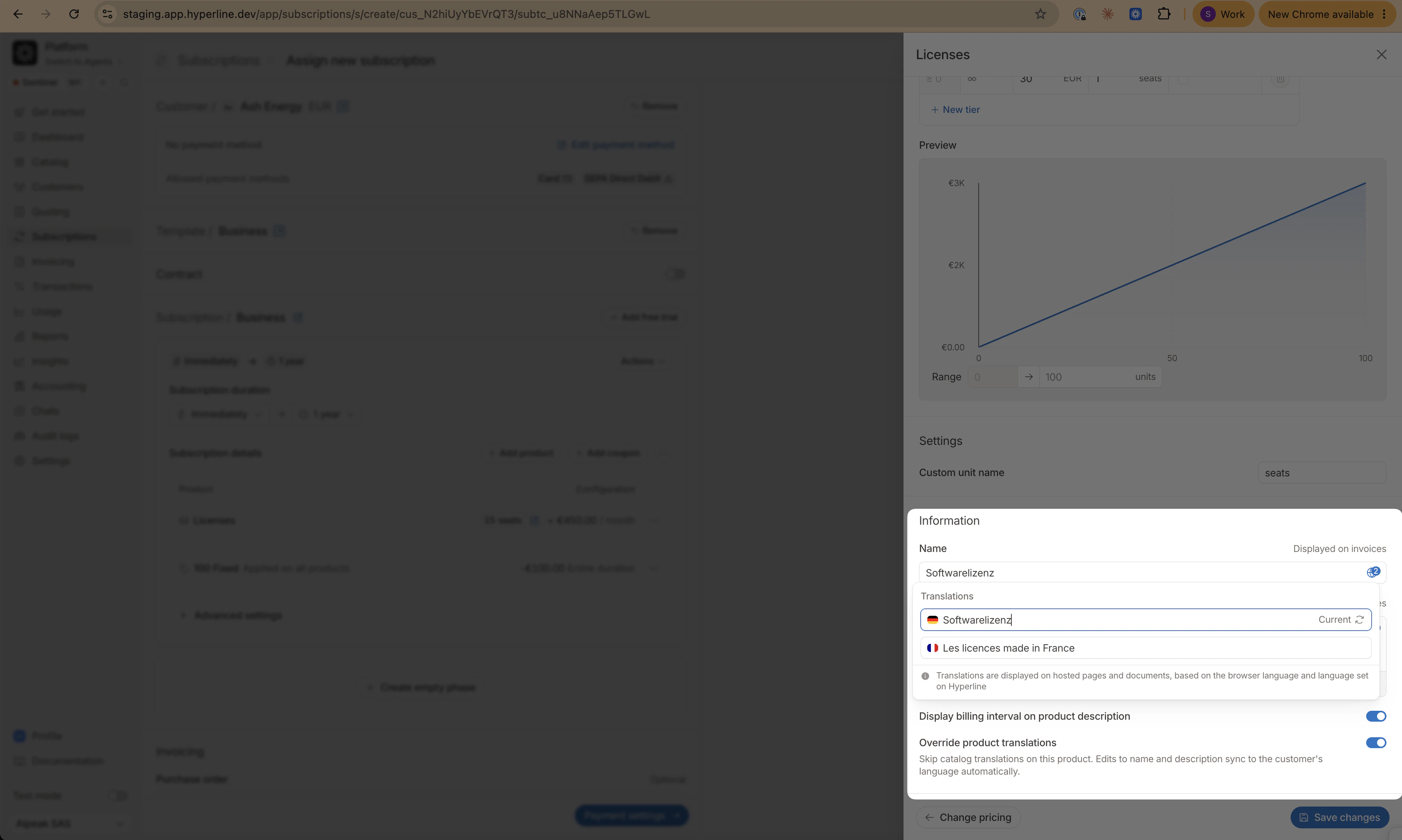 Click the globe icon to open the translation panel. It shows one tab per language, limited to the customer's and invoicing entity's languages. The **Current** tab (customer's language) stays in sync with the main field automatically.
## Templates
Click the globe icon to open the translation panel. It shows one tab per language, limited to the customer's and invoicing entity's languages. The **Current** tab (customer's language) stays in sync with the main field automatically.
## Templates
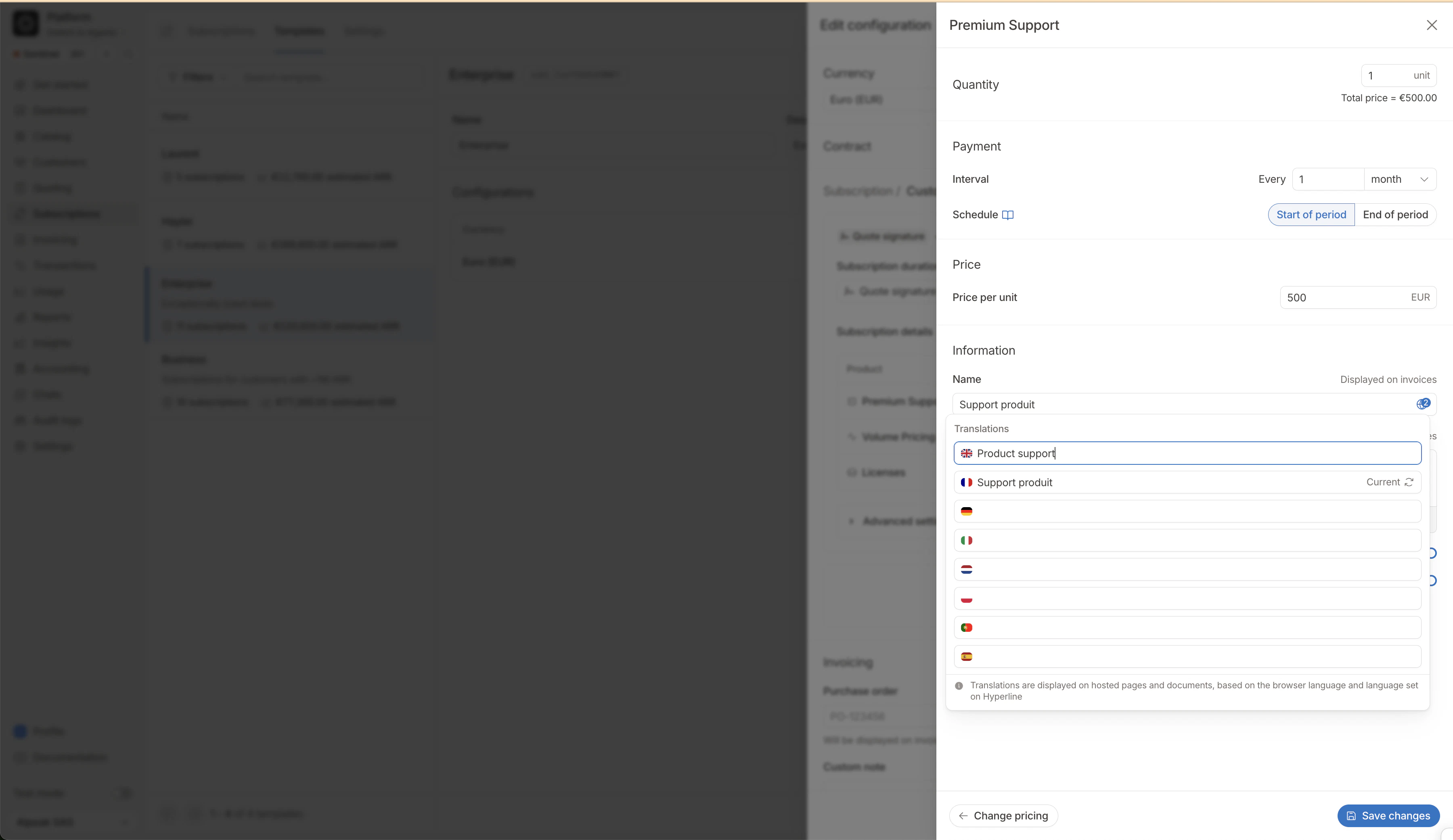 Templates show all available languages in the translation panel since no customer is attached. When assigned to a customer, the stored values carry over and the customer's language is marked **Current**.
## Precedence
From lowest to highest: **default** (`false`) → **subscription settings** → **template** → **subscription product**. A higher-level value always wins.
## FAQ
Hyperline reverts to catalog translations (or the main field if none exist). Your custom values are preserved on the subscription and restored if you re-enable the override.
Either the customer has no language set, or the customer and invoicing entity share the same language, in which case no separate translation tab is needed.
Yes. The same globe icon appears on name and description fields when editing an invoice manually.
Templates show all available languages in the translation panel since no customer is attached. When assigned to a customer, the stored values carry over and the customer's language is marked **Current**.
## Precedence
From lowest to highest: **default** (`false`) → **subscription settings** → **template** → **subscription product**. A higher-level value always wins.
## FAQ
Hyperline reverts to catalog translations (or the main field if none exist). Your custom values are preserved on the subscription and restored if you re-enable the override.
Either the customer has no language set, or the customer and invoicing entity share the same language, in which case no separate translation tab is needed.
Yes. The same globe icon appears on name and description fields when editing an invoice manually.