> ## Documentation Index
> Fetch the complete documentation index at: https://docs.hyperline.co/llms.txt
> Use this file to discover all available pages before exploring further.
# Scheduled transactions
> Plan one or several future transactions on invoices
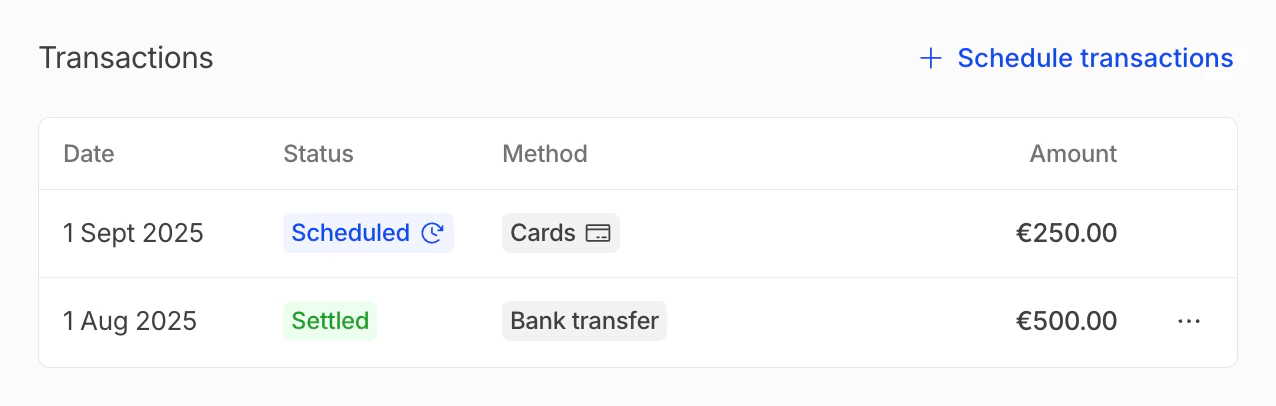
Hyperline allows you to schedule a transaction with a specific payment method at a custom future date, for a custom amount. This is particularly helpful to create payment installments for customers who wish to pay the invoice in multiple times.
Scheduling a transaction can be done on all allowed payment methods for a customer, enabling multiple methods for the same invoice to be used.
 ## Schedule a transaction
It can be accessed while creating a new invoice, editing an invoice or by clicking on "schedule transactions" in the transactions section.
## Schedule a transaction
It can be accessed while creating a new invoice, editing an invoice or by clicking on "schedule transactions" in the transactions section.
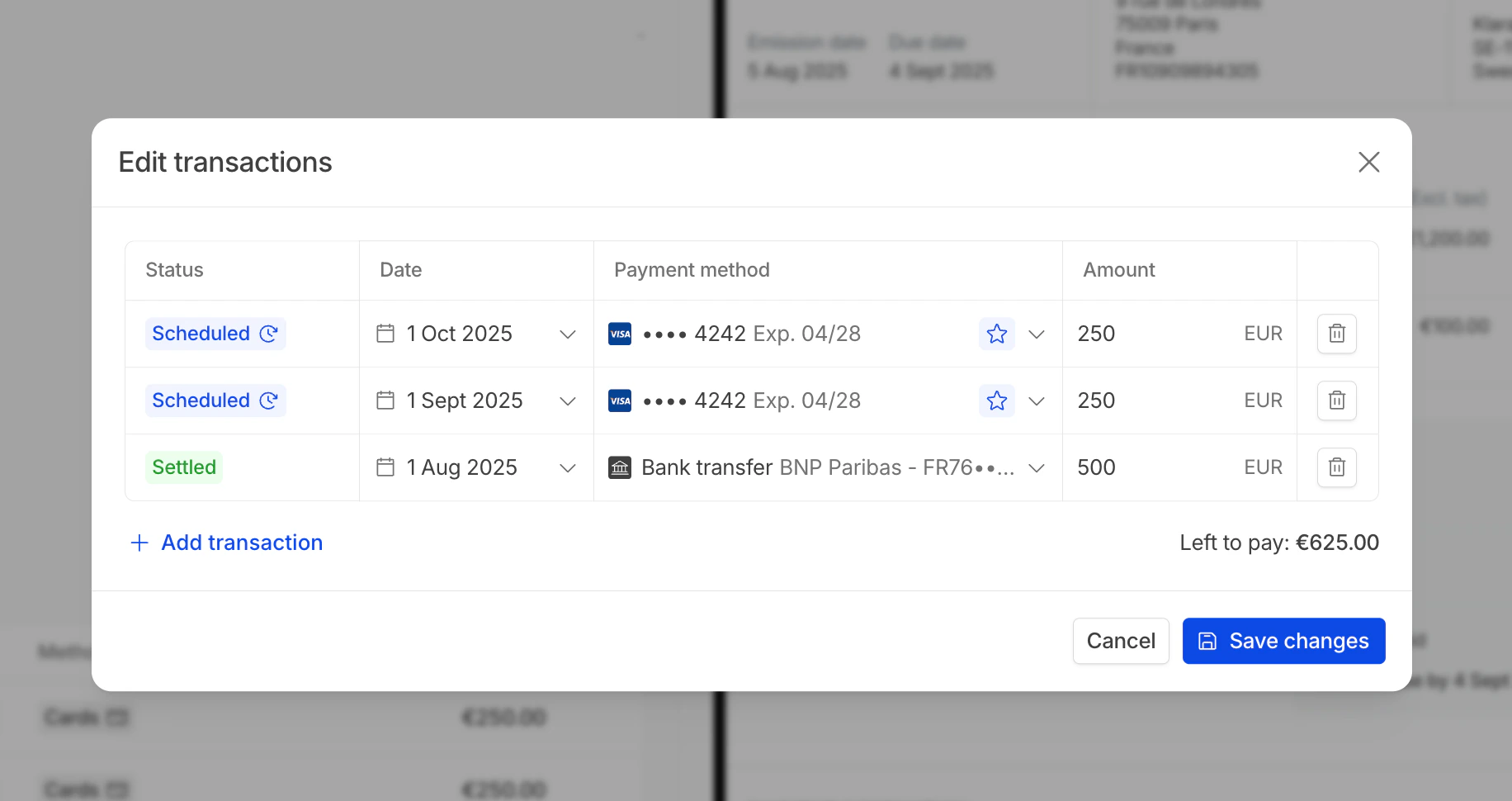 Transactions can only be scheduled on draft, to pay and partially paid invoices.
## Edit a transaction
All transactions can be edited after they have been created but before they are executed, as long as they are in a `scheduled` status.
All transactions with a manual payment method (bank transfer, outside of Hyperline) can be edited afterwards without any limitations.
## Execute transactions
Transactions with automated payment methods are processed at **the beginning of each hour**, after the scheduled process date has passed.
Transactions can only be scheduled on draft, to pay and partially paid invoices.
## Edit a transaction
All transactions can be edited after they have been created but before they are executed, as long as they are in a `scheduled` status.
All transactions with a manual payment method (bank transfer, outside of Hyperline) can be edited afterwards without any limitations.
## Execute transactions
Transactions with automated payment methods are processed at **the beginning of each hour**, after the scheduled process date has passed.