> ## Documentation Index
> Fetch the complete documentation index at: https://docs.hyperline.co/llms.txt
> Use this file to discover all available pages before exploring further.
# Invoice payment term
> Learn about invoices payment term settings
Setting payment term will mark the invoices as **late** once the delay is passed. Choose a number of days that fits your industry's standard or your company preferences.
The payment term starts to run from the day the invoice is emitted to be paid.
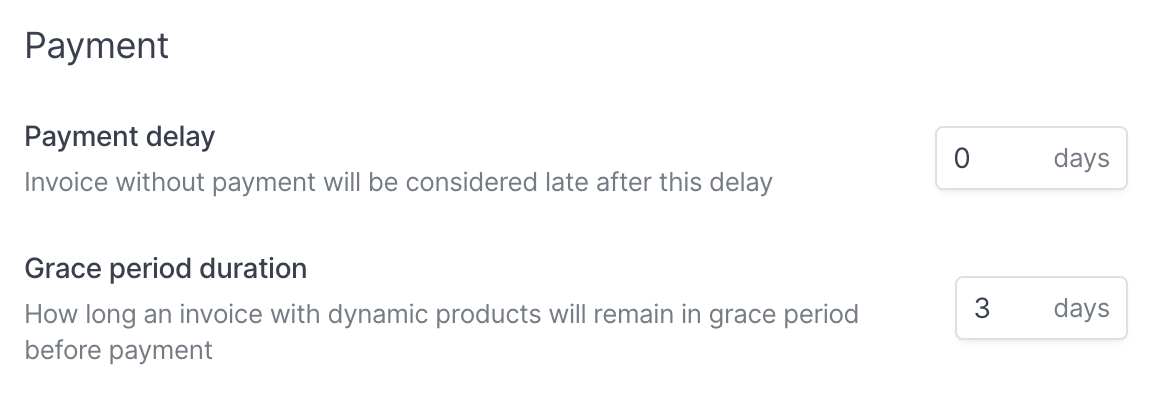 A default payment delay of **30 days** has been configured in your settings (**Settings** → **Invoicing** page), which can be changed to your preferred value. This payment delay is applied to all your customers.
#### Customization per customer
In the Advanced section, you can enter the custom payment term negotiated with your customer.
A default payment delay of **30 days** has been configured in your settings (**Settings** → **Invoicing** page), which can be changed to your preferred value. This payment delay is applied to all your customers.
#### Customization per customer
In the Advanced section, you can enter the custom payment term negotiated with your customer.
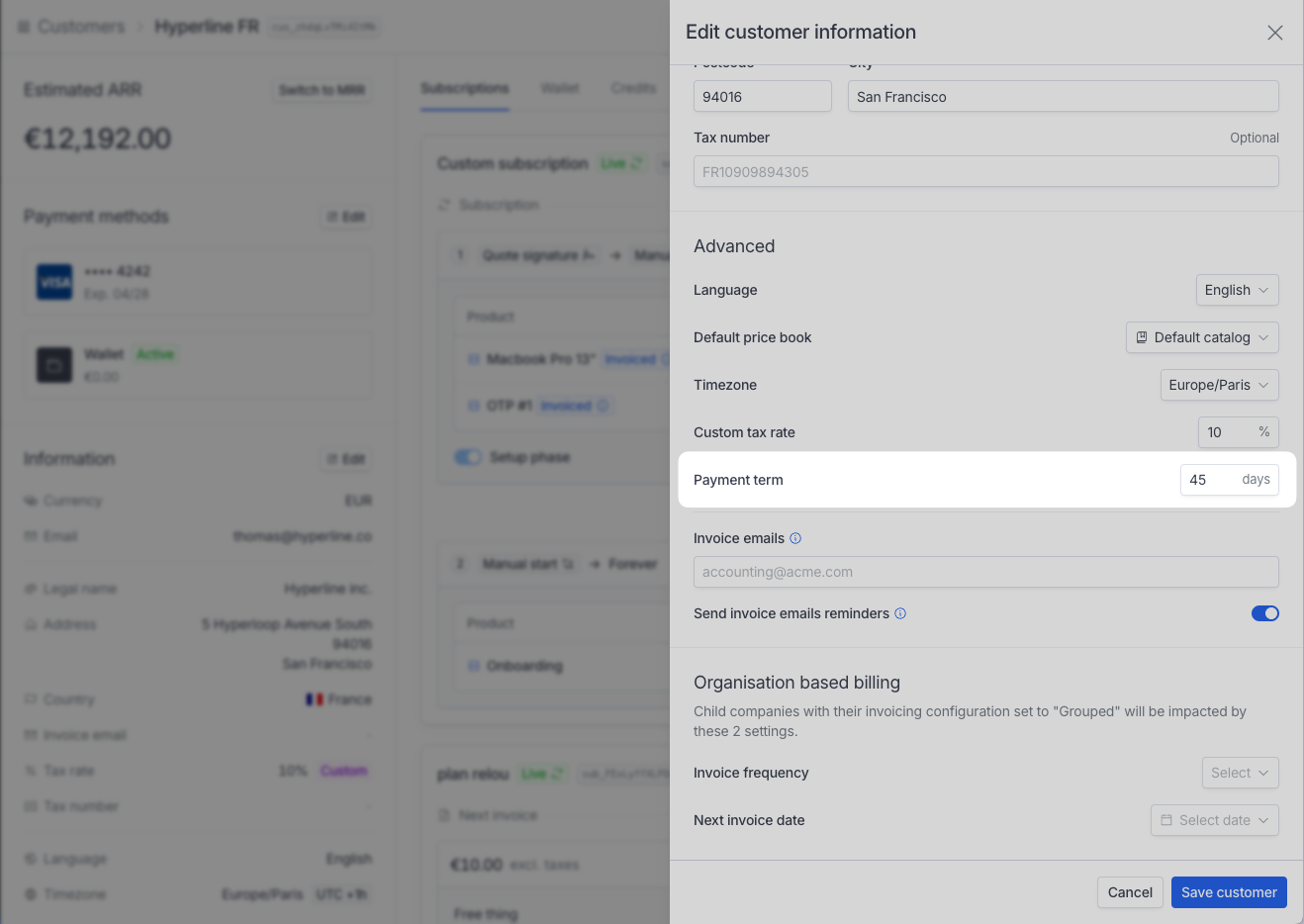 This setting can be updated afterward using the 'Edit customer' action and will impact every invoice created afterward.
## Grace period
For invoices with usage-based products, Hyperline uses a grace period - defined by a number of days - to **leave invoices open** before being sent to payment. This period allows you to review the invoices before they are finalised.
At the end of this period, invoices are automatically sent for payment.
The default duration is 3 days, but this can be configured on the **Settings** → **Invoicing** page.
#### Behavior during the period
During this period, newly ingested events for the invoice billing period are considered and invoices are regularly updated, so they have the latest accurate usage data.
Invoices in grace period don't have a unique number (not part of the sequential numbering), this number is generated when the invoice is finalized/ready to be paid.
This setting can be updated afterward using the 'Edit customer' action and will impact every invoice created afterward.
## Grace period
For invoices with usage-based products, Hyperline uses a grace period - defined by a number of days - to **leave invoices open** before being sent to payment. This period allows you to review the invoices before they are finalised.
At the end of this period, invoices are automatically sent for payment.
The default duration is 3 days, but this can be configured on the **Settings** → **Invoicing** page.
#### Behavior during the period
During this period, newly ingested events for the invoice billing period are considered and invoices are regularly updated, so they have the latest accurate usage data.
Invoices in grace period don't have a unique number (not part of the sequential numbering), this number is generated when the invoice is finalized/ready to be paid.
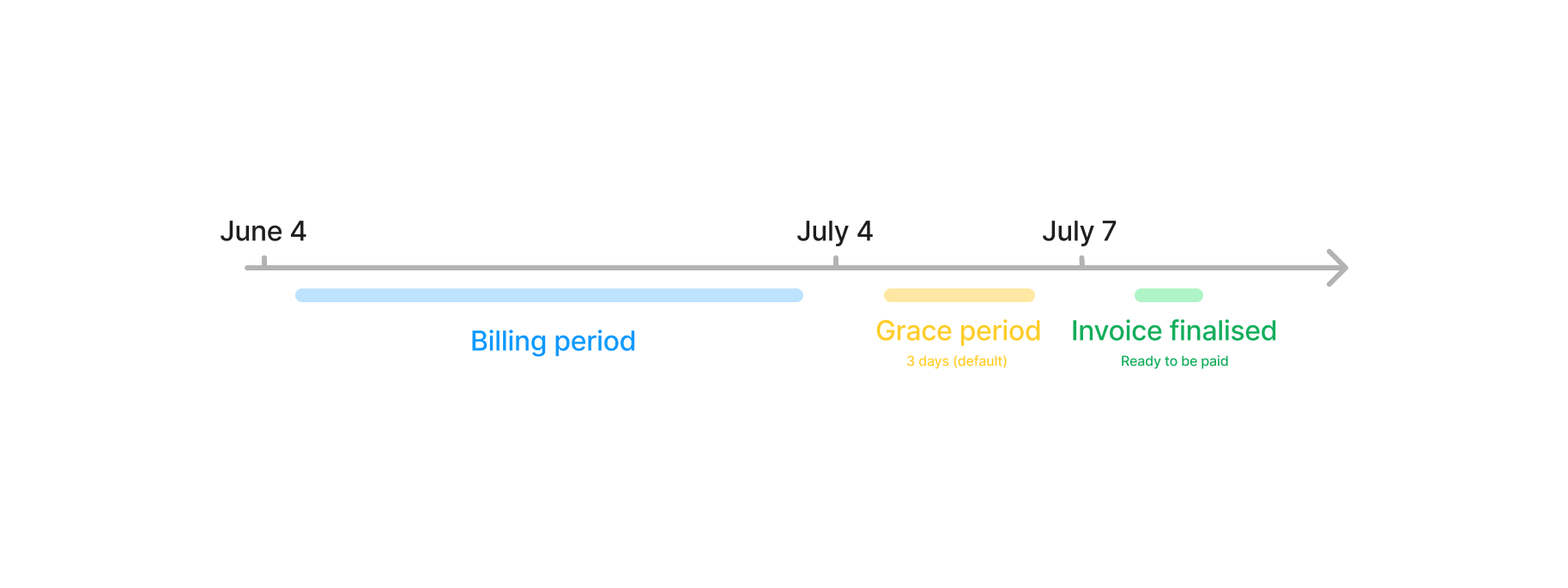 When the invoice leaves the grace period and is ready to be paid, a webhook
`invoice.ready` message is sent. You can check more details about webhooks in
the [webhooks page](../../api-reference/docs/webhooks).
When the invoice leaves the grace period and is ready to be paid, a webhook
`invoice.ready` message is sent. You can check more details about webhooks in
the [webhooks page](../../api-reference/docs/webhooks).