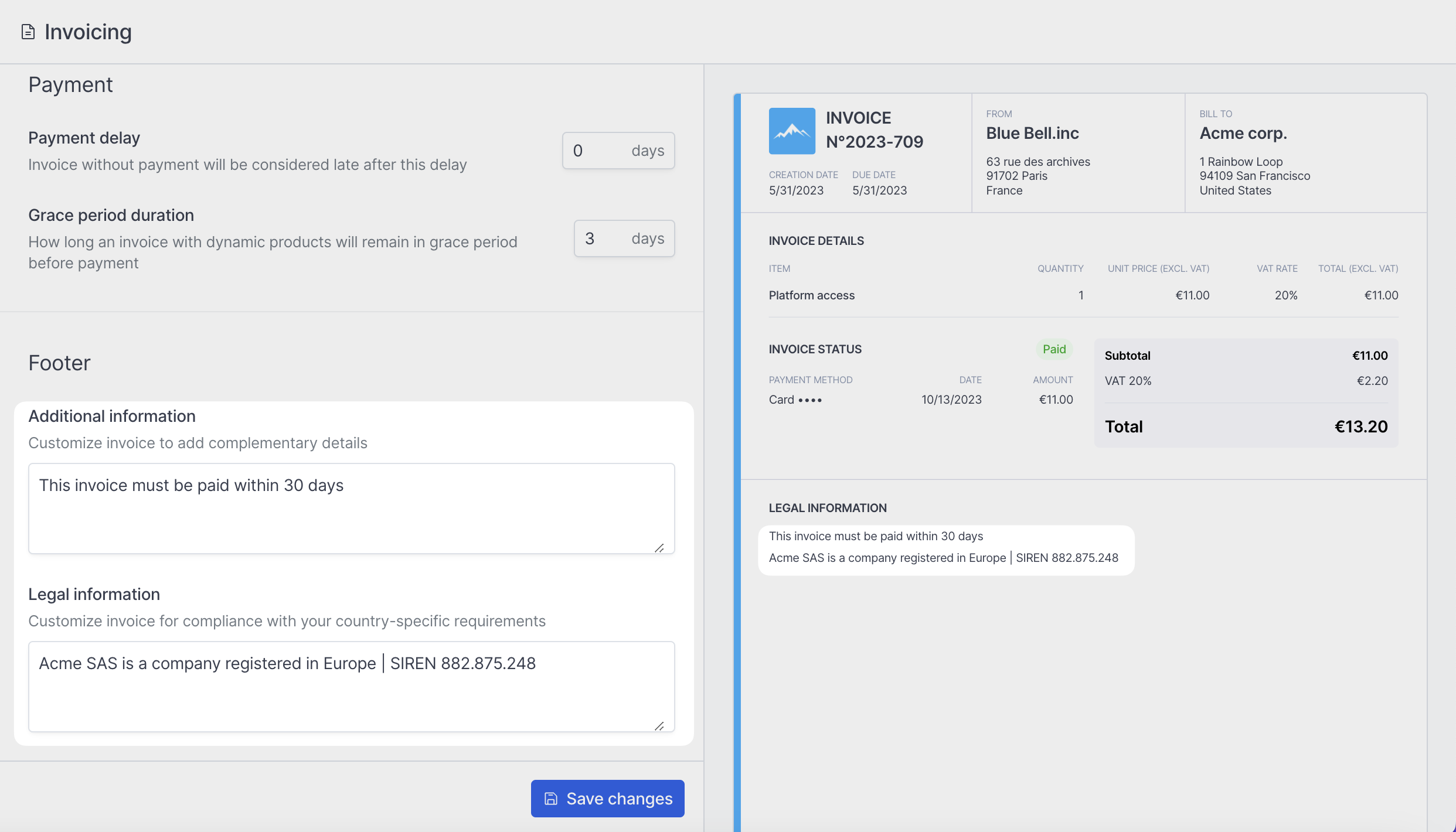
> ## Documentation Index
> Fetch the complete documentation index at: https://docs.hyperline.co/llms.txt
> Use this file to discover all available pages before exploring further.
# Invoice configuration
> Learn how to configure your invoices
If you did not already configure your invoices during the initial onboarding process, you can do it anytime from the Hyperline's interface, from the **Settings** pages.
## Business
In the **Business** section, you can customize your brand's logo and color that will appear on your invoices.
You are also required to fill up the trade and legal names of your country, your Tax number (if applicable), and the postal address that will appear on the invoices. These details are required to make your invoices legally compliant.
We provide you with a real time preview on the right of the screen so you can
see how your changes are affecting your invoices design.
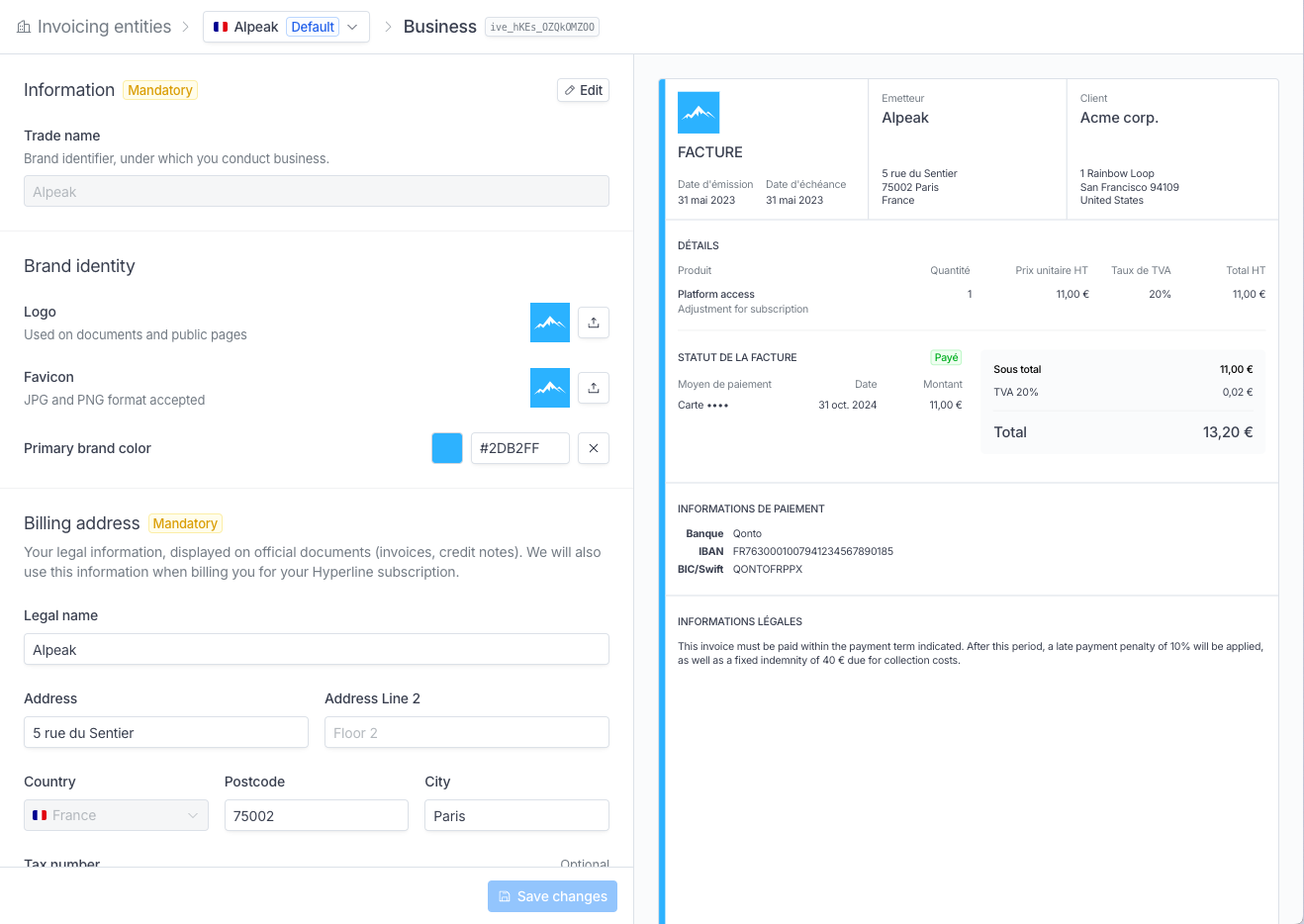 Click on `Save changes` once you are done.
## Invoicing
You can customize settings that will apply to all generated invoices. New configurations will be applied to invoices generated after the changes are saved.
Click on `Save changes` once you are done.
## Invoicing
You can customize settings that will apply to all generated invoices. New configurations will be applied to invoices generated after the changes are saved.
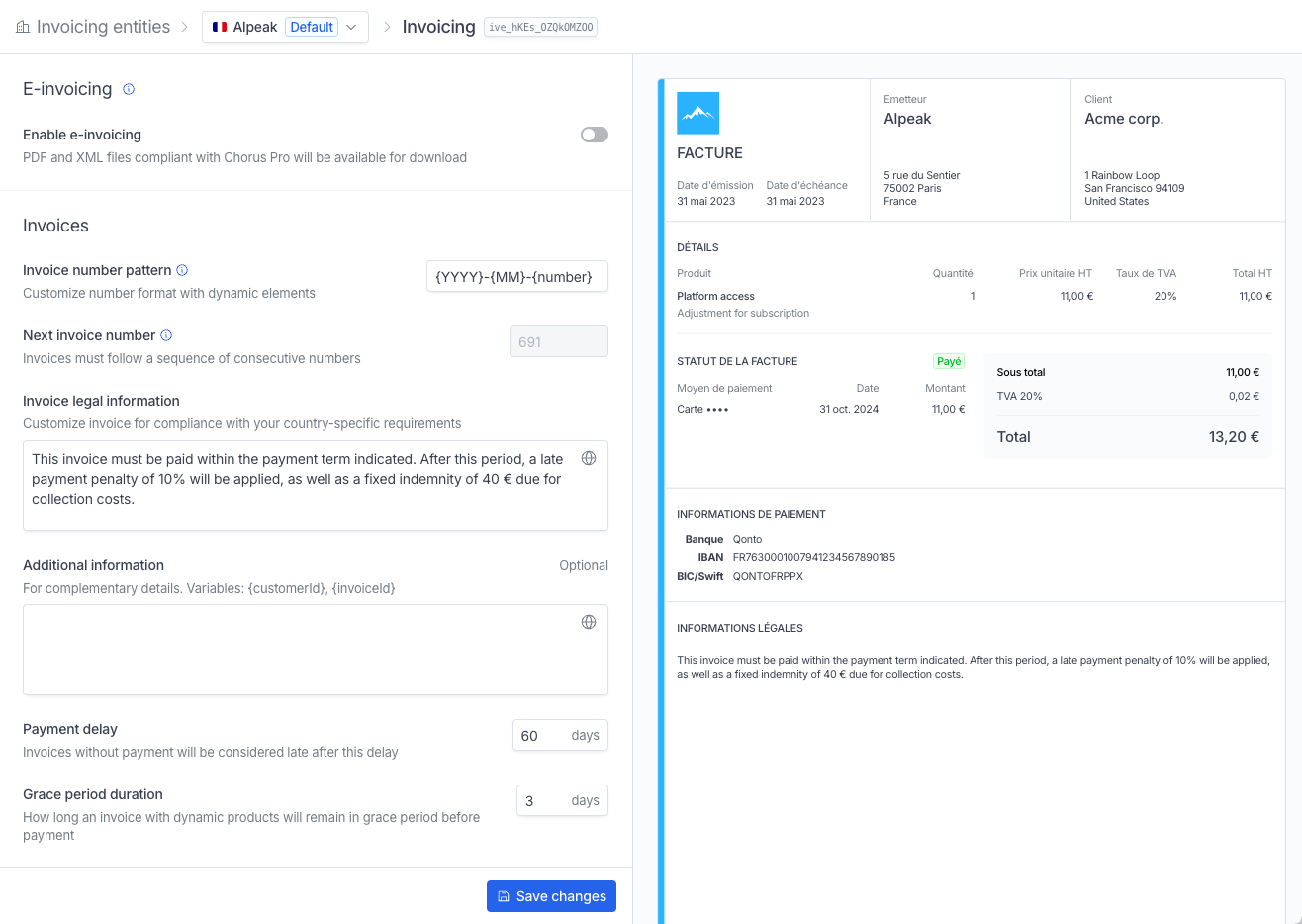 #### Invoicing number
You can customize how your invoices will be numbered. This is done in **Settings**, in the **Invoicing** section.
Each invoice must have a **unique number**. These numbers should follow a
sequential order. This is a legal requirement that applies internationally.
Hyperline lets you however choose the invoice number pattern you want to use.
The `{number}` variable is mandatory. You can then add any text, the year variable `{YYYY}`, the month variable `{MM}` and/or the day variable `{DD}` to customize the invoice number format.
| Variable | Invoice number format |
| ------------------- | --------------------- |
| number | 1 |
| number-YYYY | 1-2023 |
| number-YYYY-MM | 1-2023-10 |
| number-YYYY-MM-DD | 1-2023-10-10 |
| YYYY-MM-DD-00number | 2023-10-10-001 |
#### Invoice legal information
As legal requirements vary from country to country, and are sometimes industry-specific, we leave a space for you to add any relevant legal information to your invoices.
Check-in with your legal and accounting teams if needed to make sure you include all necessary information here. It can go from tax specificities to penalties applied if the invoice is not paid on time, to anything else.
#### Additional information
You can insert here any additional information you'd like to provide. It could be details about your invoicing policy (late payment fees, conditions, etc.) or mentions about taxes if relevant.
By clicking the globe icon on the right side of the text area, you can translate both the legal and additional information into multiple languages. The relevant language will be automatically selected when the invoice is generated.
#### Invoicing number
You can customize how your invoices will be numbered. This is done in **Settings**, in the **Invoicing** section.
Each invoice must have a **unique number**. These numbers should follow a
sequential order. This is a legal requirement that applies internationally.
Hyperline lets you however choose the invoice number pattern you want to use.
The `{number}` variable is mandatory. You can then add any text, the year variable `{YYYY}`, the month variable `{MM}` and/or the day variable `{DD}` to customize the invoice number format.
| Variable | Invoice number format |
| ------------------- | --------------------- |
| number | 1 |
| number-YYYY | 1-2023 |
| number-YYYY-MM | 1-2023-10 |
| number-YYYY-MM-DD | 1-2023-10-10 |
| YYYY-MM-DD-00number | 2023-10-10-001 |
#### Invoice legal information
As legal requirements vary from country to country, and are sometimes industry-specific, we leave a space for you to add any relevant legal information to your invoices.
Check-in with your legal and accounting teams if needed to make sure you include all necessary information here. It can go from tax specificities to penalties applied if the invoice is not paid on time, to anything else.
#### Additional information
You can insert here any additional information you'd like to provide. It could be details about your invoicing policy (late payment fees, conditions, etc.) or mentions about taxes if relevant.
By clicking the globe icon on the right side of the text area, you can translate both the legal and additional information into multiple languages. The relevant language will be automatically selected when the invoice is generated.