> ## Documentation Index
> Fetch the complete documentation index at: https://docs.hyperline.co/llms.txt
> Use this file to discover all available pages before exploring further.
# Markdown format text
> Stylize your text to your liking in selected text areas
Markdown lets you keep your content clear and expressive, without complex formatting tools. It’s ideal for keeping things lightweight and readable—both for you and your customers.
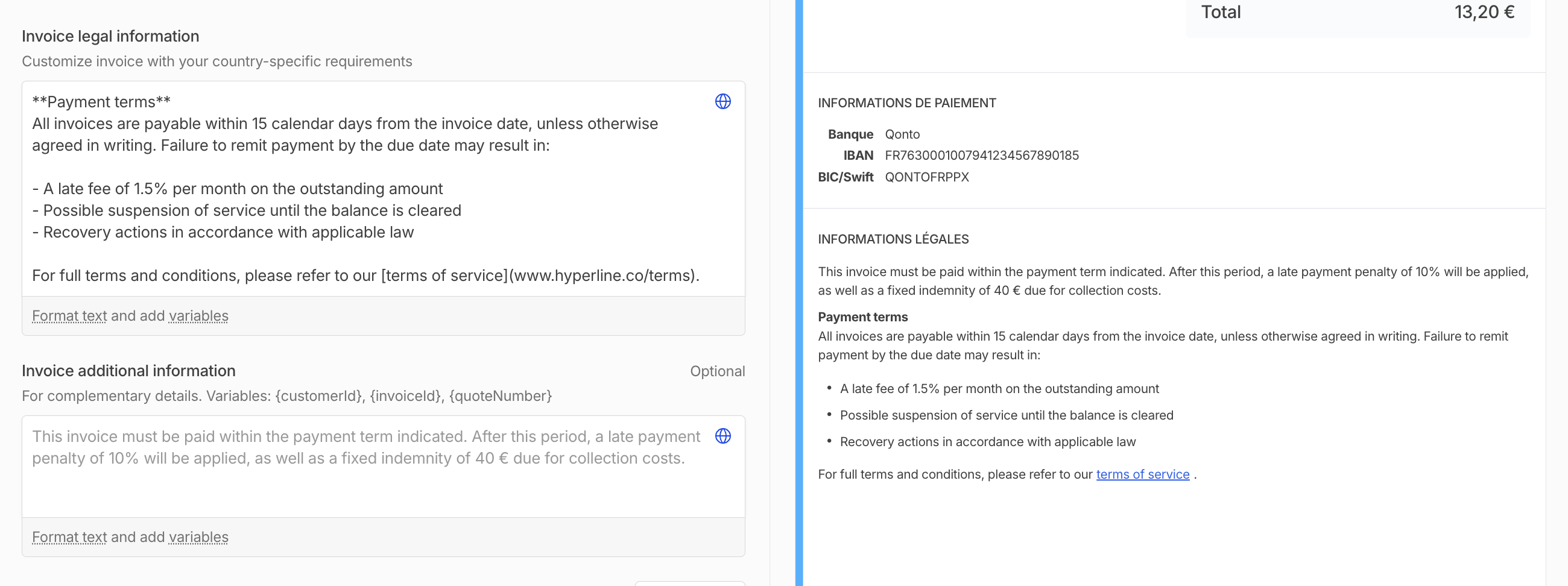 Hyperline supports markdown formatting **in select text areas** across the product:
* Invoice legal information
* Invoice additional information
Currently, formatting is visible only in preview mode. While editing, the Markdown syntax remains visible in the input field.
You can use the following syntax to apply formatting:
* `**text**` -> bold text
* `*text*` or `_text_` -> italic text
* `---` -> horizontal divider
* `- text` -> bulleted list
* `[text](http://www.hyperline.co)` -> hyperlink
## Variables
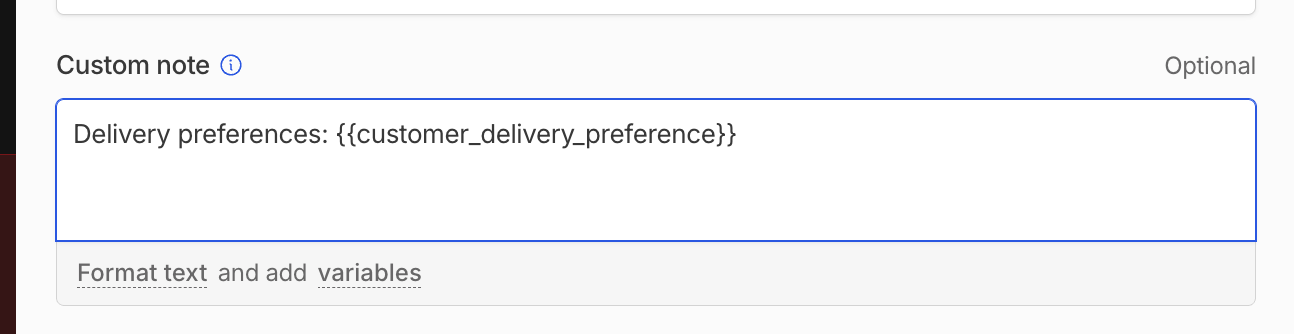
We support dynamic content rendering using variable substitution. Variables can be embedded directly into input fields using two common formats:
* Double curly braces: `{{variable}}`
* Single curly brace: `{variable}`
These placeholders are automatically replaced at runtime with the appropriate values from the corresponding data context (e.g., quote, invoice, customer, ...).
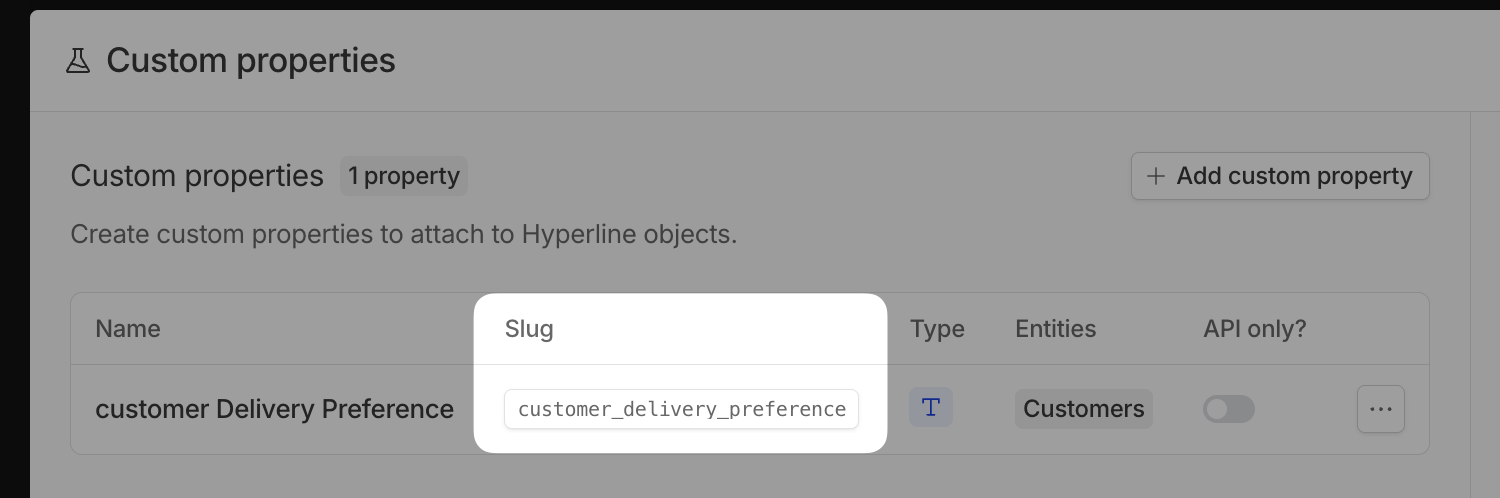
You can create you own variables via [custom properties](https://docs.hyperline.co/docs/properties/overview). The variable is the slug of the custom property, surrounded by curly brackets.
Hyperline supports markdown formatting **in select text areas** across the product:
* Invoice legal information
* Invoice additional information
Currently, formatting is visible only in preview mode. While editing, the Markdown syntax remains visible in the input field.
You can use the following syntax to apply formatting:
* `**text**` -> bold text
* `*text*` or `_text_` -> italic text
* `---` -> horizontal divider
* `- text` -> bulleted list
* `[text](http://www.hyperline.co)` -> hyperlink
## Variables
We support dynamic content rendering using variable substitution. Variables can be embedded directly into input fields using two common formats:
* Double curly braces: `{{variable}}`
* Single curly brace: `{variable}`
These placeholders are automatically replaced at runtime with the appropriate values from the corresponding data context (e.g., quote, invoice, customer, ...).
You can create you own variables via [custom properties](https://docs.hyperline.co/docs/properties/overview). The variable is the slug of the custom property, surrounded by curly brackets.