> ## Documentation Index
> Fetch the complete documentation index at: https://docs.hyperline.co/llms.txt
> Use this file to discover all available pages before exploring further.
# How the customer balance is calculated
> Learn how Hyperline calculates a customer account balance from outstanding invoices, credit notes, and wallet credit, and how to read it.
Every customer has an **account balance** that summarises their financial position with you at a glance. It appears on the customer overview page and answers a single question: does this customer owe you money, or are they in credit?
## Reading the balance card
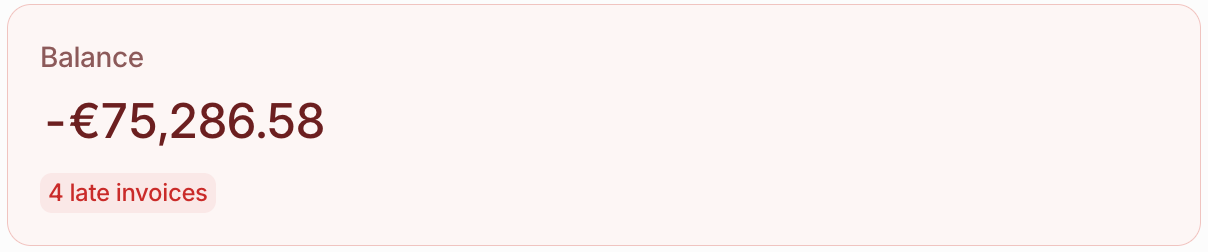
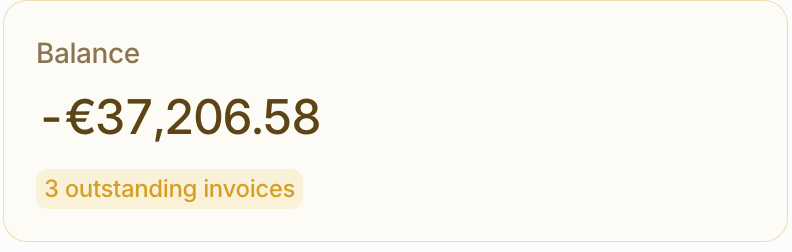
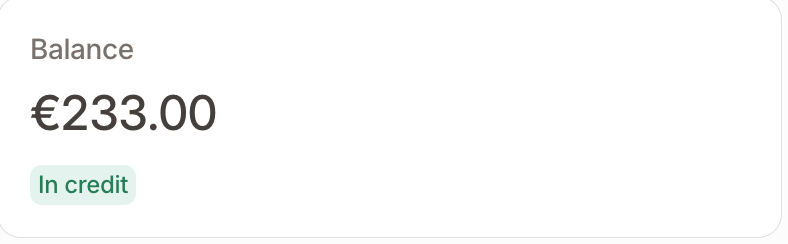
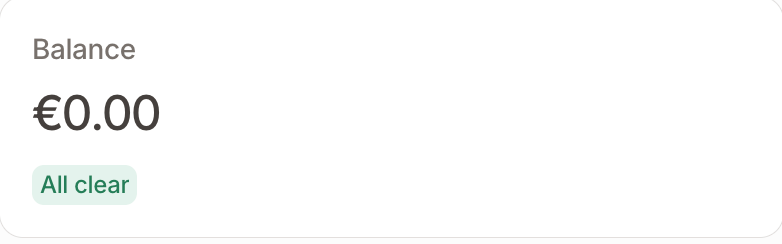
The balance is shown as a card at the top of the customer overview page. Its **colour** is an at-a-glance signal of whether the customer needs attention, and the **tag** underneath spells out why.
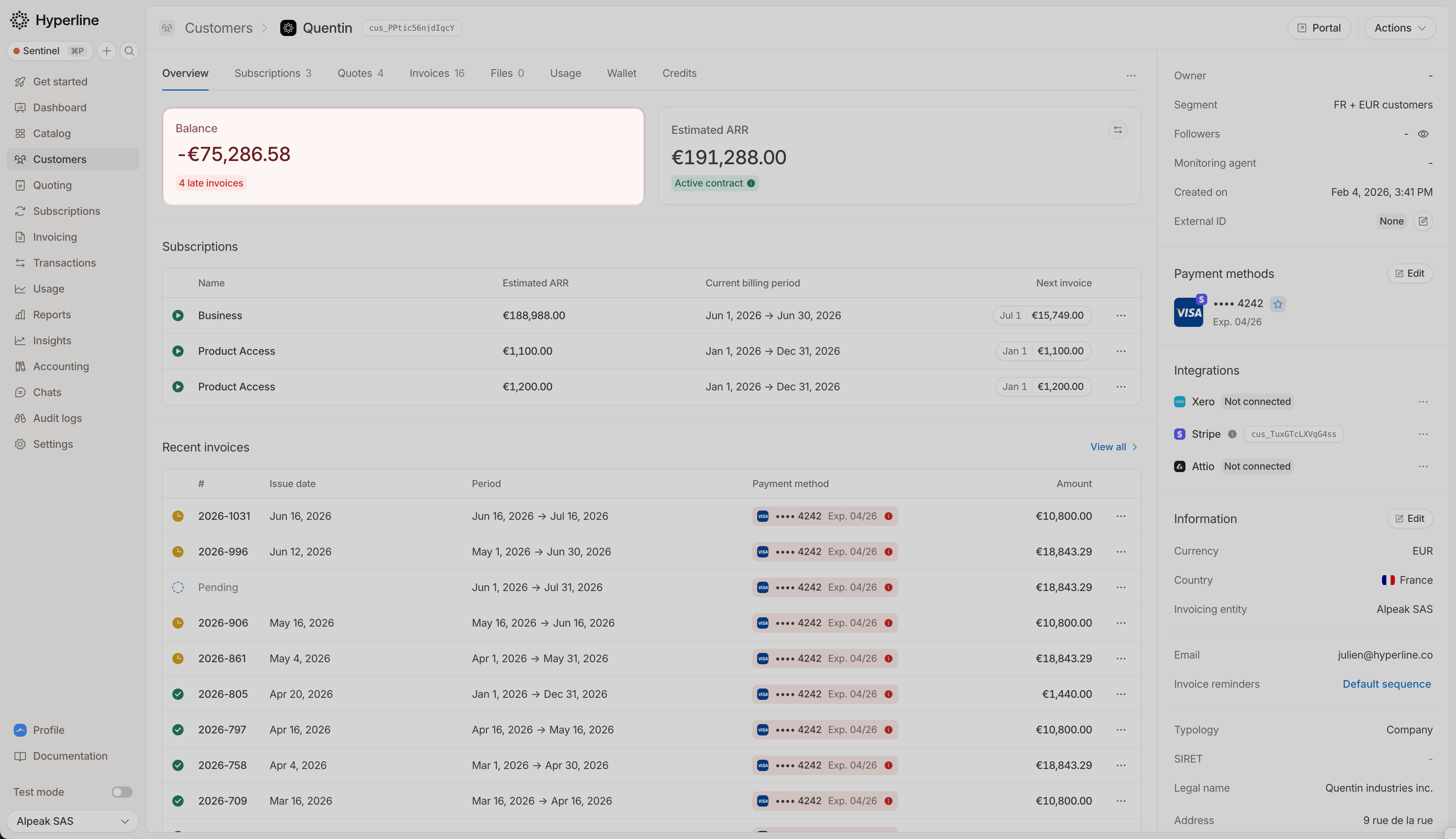 ### What the colours mean
| Card colour | Tag | What it means |
| ------------- | -------------------------- | ------------------------------------------------------------------------------------------------------------------- |
| 🔴 **Red** | `{n} late` | At least one outstanding invoice is **overdue** (past its due date). Payment is late and likely needs chasing. |
| 🟡 **Yellow** | `{n} outstanding invoices` | The customer has unpaid invoices, but **none are overdue yet**; they are still within their payment terms. |
| ⚪ **Neutral** | `In credit` | No outstanding invoices, and the balance is positive: credit notes and wallet credit exceed what the customer owes. |
| ⚪ **Neutral** | `All clear` | No outstanding invoices and a settled, zero balance. |
The difference between **red and yellow** is purely about timing: as soon as a single open invoice passes its due date the card turns red, and it stays yellow while every open invoice is still within terms. A customer can move from yellow to red without any new invoices, simply because a due date has passed.
The colour and tag are driven only by the customer's open invoices, independently of the headline amount. So the card can stay yellow or red even when the amount itself shows a dash (see [the currency shown on the card](#the-currency-shown-on-the-card)).
### What the colours mean
| Card colour | Tag | What it means |
| ------------- | -------------------------- | ------------------------------------------------------------------------------------------------------------------- |
| 🔴 **Red** | `{n} late` | At least one outstanding invoice is **overdue** (past its due date). Payment is late and likely needs chasing. |
| 🟡 **Yellow** | `{n} outstanding invoices` | The customer has unpaid invoices, but **none are overdue yet**; they are still within their payment terms. |
| ⚪ **Neutral** | `In credit` | No outstanding invoices, and the balance is positive: credit notes and wallet credit exceed what the customer owes. |
| ⚪ **Neutral** | `All clear` | No outstanding invoices and a settled, zero balance. |
The difference between **red and yellow** is purely about timing: as soon as a single open invoice passes its due date the card turns red, and it stays yellow while every open invoice is still within terms. A customer can move from yellow to red without any new invoices, simply because a due date has passed.
The colour and tag are driven only by the customer's open invoices, independently of the headline amount. So the card can stay yellow or red even when the amount itself shows a dash (see [the currency shown on the card](#the-currency-shown-on-the-card)).
 ## The formula
The balance combines three components:
```
Balance = unpaid credit notes + wallet credit − outstanding invoices
```
The sign tells you the direction:
* **Negative**: the customer **owes** you money (their outstanding invoices exceed their credit).
* **Positive**: the customer is **in credit** (their credit notes and wallet exceed what they owe).
* **Zero**: the account is fully settled.
## The three components
### Outstanding invoices
The total still due on the customer's **finalized** invoices that are not yet fully paid, including partially paid and failed ones. This is the only component that pushes the balance towards "owing".
Draft, voided, fully paid, and refunded invoices are not counted, and an invoice with a payment in progress is excluded until that payment settles or fails.
### Credit notes
The total of [credit notes](../invoices/refunds) issued to the customer that have not yet been refunded or applied to an invoice. Once a credit note is applied to an invoice, it reduces that invoice's amount due, so it is never counted twice.
### Wallet credit
The customer's available [prepaid wallet balance](../wallets/balance). A wallet balance only ever increases credit; it is never treated as negative.
## A worked example
| Component | Amount |
| -------------------- | ---------- |
| Outstanding invoices | 10,000 |
| Credit notes | 3,000 |
| Wallet credit | 1,500 |
| **Balance** | **−5,500** |
`3,000 + 1,500 − 10,000 = −5,500` → the customer **owes 5,500**.
If the same customer instead had no outstanding invoices, the balance would be `3,000 + 1,500 = +4,500`, meaning they are **4,500 in credit**.
## The currency shown on the card
The balance card always shows the figure in the **customer's own currency** (the currency set on the customer record), with no conversion.
A customer can still have invoices, credit notes, or wallets in other currencies; Hyperline tracks each currency separately. The card reflects only the customer-currency balance, so activity in other currencies is not folded into the headline figure.
If a customer has no balance activity in their own currency (for example, all of their invoices are in a different currency), the amount shows as a dash (such as `- €`). The card colour and invoice-count tag still reflect their open invoices.
## Organisations and child customers
For a parent customer in an [organisation](../customers/organisation-based), you can switch to the **aggregated view** to see the combined balance of the parent and all of its child customers, shown in the parent's currency.
Invoices that have already been consolidated onto the parent are counted once, so a charge is never double-counted across the parent and its children.
## The formula
The balance combines three components:
```
Balance = unpaid credit notes + wallet credit − outstanding invoices
```
The sign tells you the direction:
* **Negative**: the customer **owes** you money (their outstanding invoices exceed their credit).
* **Positive**: the customer is **in credit** (their credit notes and wallet exceed what they owe).
* **Zero**: the account is fully settled.
## The three components
### Outstanding invoices
The total still due on the customer's **finalized** invoices that are not yet fully paid, including partially paid and failed ones. This is the only component that pushes the balance towards "owing".
Draft, voided, fully paid, and refunded invoices are not counted, and an invoice with a payment in progress is excluded until that payment settles or fails.
### Credit notes
The total of [credit notes](../invoices/refunds) issued to the customer that have not yet been refunded or applied to an invoice. Once a credit note is applied to an invoice, it reduces that invoice's amount due, so it is never counted twice.
### Wallet credit
The customer's available [prepaid wallet balance](../wallets/balance). A wallet balance only ever increases credit; it is never treated as negative.
## A worked example
| Component | Amount |
| -------------------- | ---------- |
| Outstanding invoices | 10,000 |
| Credit notes | 3,000 |
| Wallet credit | 1,500 |
| **Balance** | **−5,500** |
`3,000 + 1,500 − 10,000 = −5,500` → the customer **owes 5,500**.
If the same customer instead had no outstanding invoices, the balance would be `3,000 + 1,500 = +4,500`, meaning they are **4,500 in credit**.
## The currency shown on the card
The balance card always shows the figure in the **customer's own currency** (the currency set on the customer record), with no conversion.
A customer can still have invoices, credit notes, or wallets in other currencies; Hyperline tracks each currency separately. The card reflects only the customer-currency balance, so activity in other currencies is not folded into the headline figure.
If a customer has no balance activity in their own currency (for example, all of their invoices are in a different currency), the amount shows as a dash (such as `- €`). The card colour and invoice-count tag still reflect their open invoices.
## Organisations and child customers
For a parent customer in an [organisation](../customers/organisation-based), you can switch to the **aggregated view** to see the combined balance of the parent and all of its child customers, shown in the parent's currency.
Invoices that have already been consolidated onto the parent are counted once, so a charge is never double-counted across the parent and its children.